 KEMET
Add Draft
Prepare a draft sale for review before invoicing.
Steps
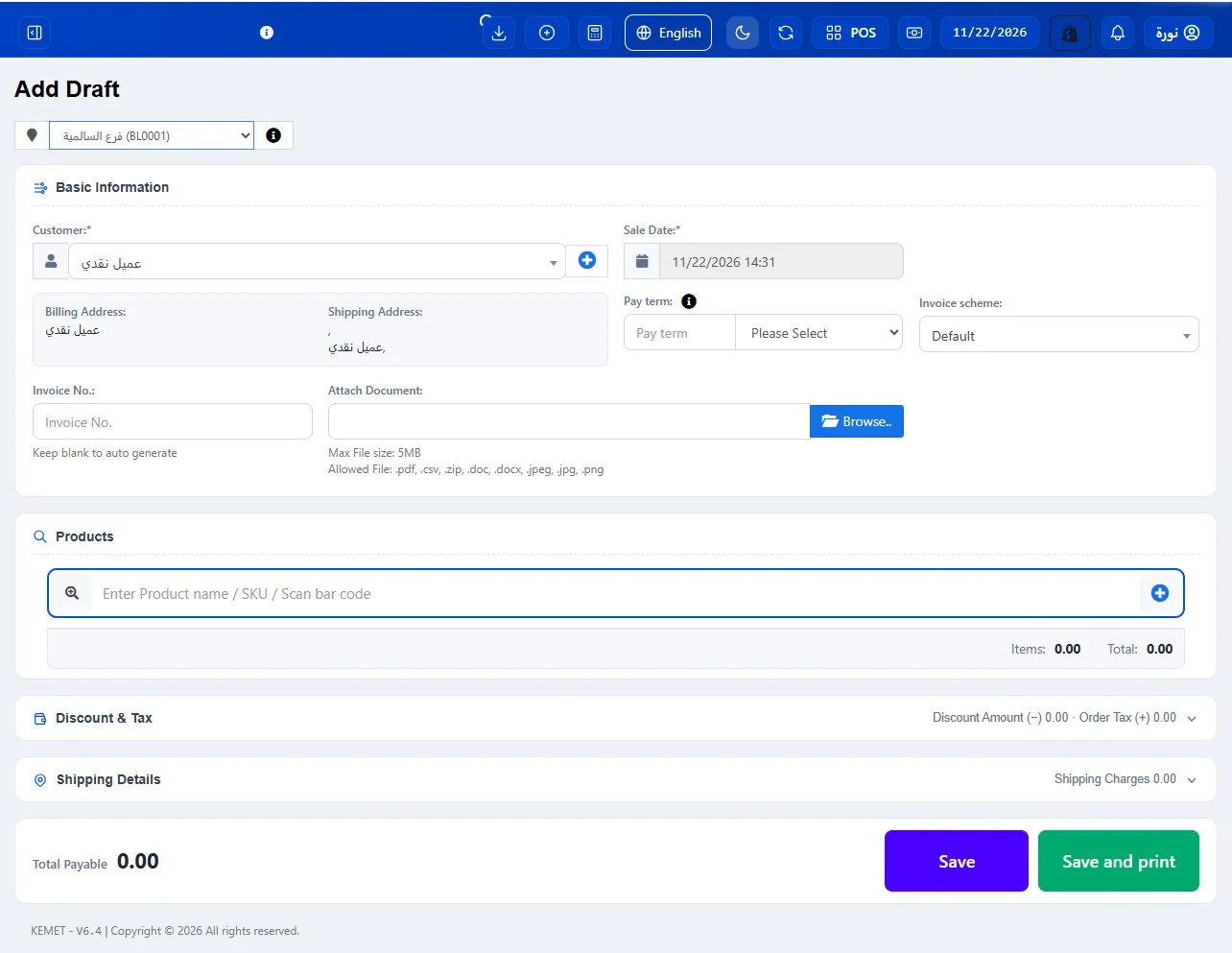
- Select the branch and customer.
- Enter exact items, variations, and quantities.
- Check Draft is selected before saving.
- Reopen it from the drafts list before any conversion.
Screen path in KEMET
/sells/create?status=draftField reference
- Business location
- The branch the draft is associated with.
- Items and quantities
- Enter exact variations and counts so a reviewer can check the request.
- Draft status
- Keeps the sale in the draft workflow until someone converts it to a final invoice.
Worked example
Prepare a draft for two 50 ml bottles at 5.000 KWD each. Review the total of 10.000 KWD before saving as a draft.
The record opens from the drafts list and is available to review before final invoicing.
From ChatGPT or Claude
Help me with Add Draft. Ask which branch, reference, or dates you need, and show the relevant data before any changes.
Verify the result
- Open the exact saved draft and verify location, customer, option and total.
Troubleshooting
The operation may have saved before the result appeared.
Search by invoice, customer and branch within the same period before saving again.
The screen or action is missing.
Ask the company administrator to check the add-on, menu visibility, role permissions, and branch scope.
Screen access depends on company settings, the role, and its allowed branches.
Training in the KEMET Academy after signing in /academy/native/sales