 KEMET
List POS
Review documents issued by the POS for a period and branch.
Steps
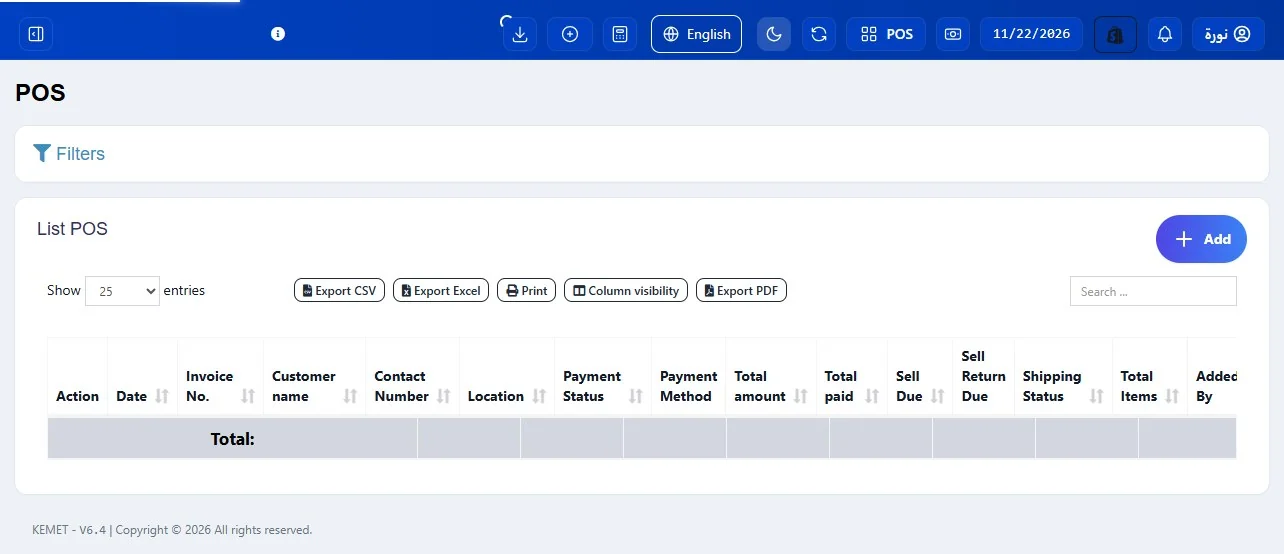
- Set the period and location.
- Find the POS invoice by number.
- Open it to check payments and product variations.
- Use the register report when reconciling payments with cash on hand.
Screen path in KEMET
/posField reference
- Invoice number
- The receipt reference identifying this sale.
- Date range
- Limits the displayed receipts to the chosen selling period.
- Payment status
- Use it to distinguish settled sales from receipts with amounts still due.
Worked example
Find receipt POS-108 for a demo sale. Narrow the period to that day and compare the customer and item lines.
The opened receipt matches the number and the payments recorded for that sale.
From ChatGPT or Claude
Help me with List POS. Ask which branch, reference, or dates you need, and show the relevant data before any changes.
Verify the result
- Compare its payment method and amount with the register’s records for the same shift.
Troubleshooting
The operation may have saved before the result appeared.
Search by invoice, customer and branch within the same period before saving again.
The screen or action is missing.
Ask the company administrator to check the add-on, menu visibility, role permissions, and branch scope.
Screen access depends on company settings, the role, and its allowed branches.
Training in the KEMET Academy after signing in /academy/native/cashiers