 KEMET
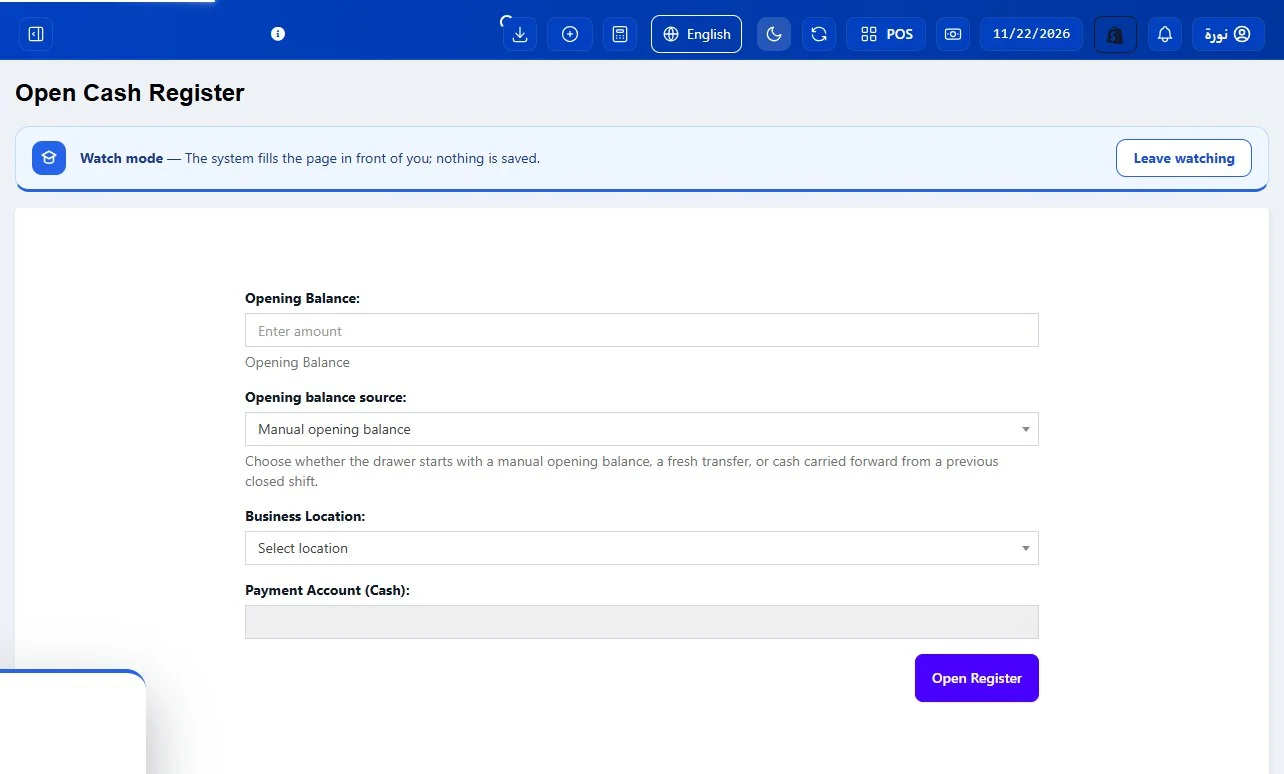
Open Cash Register
Record actual opening cash before starting the POS shift.
Steps
- Verify the branch and cashier.
- Count the cash in the drawer first.
- Enter the counted amount in the opening form.
- Check the POS is open on the correct register.
Screen path in KEMET
/cash-register/createField reference
- Cash in hand
- The amount in the drawer before the first sale of the shift.
- Business location
- The branch attached to this shift and its sales. Choose from available locations when the form asks for it.
Worked example
Start the demo Salmiya shift with a counted 30.000 KWD. Open the register using that opening balance.
The shift is open for Salmiya and its register details show 30.000 KWD at opening.
Verify the result
- Check the open shift’s location, cashier and starting cash before taking a payment.
Troubleshooting
The operation may have saved before the result appeared.
Search by invoice, customer and branch within the same period before saving again.
The screen or action is missing.
Ask the company administrator to check the add-on, menu visibility, role permissions, and branch scope.
Screen access depends on company settings, the role, and its allowed branches.
Training in the KEMET Academy after signing in /academy/native/register_open