 KEMET
List Sell Return
Match a sales return to the original invoice and prior returned quantities.
Steps
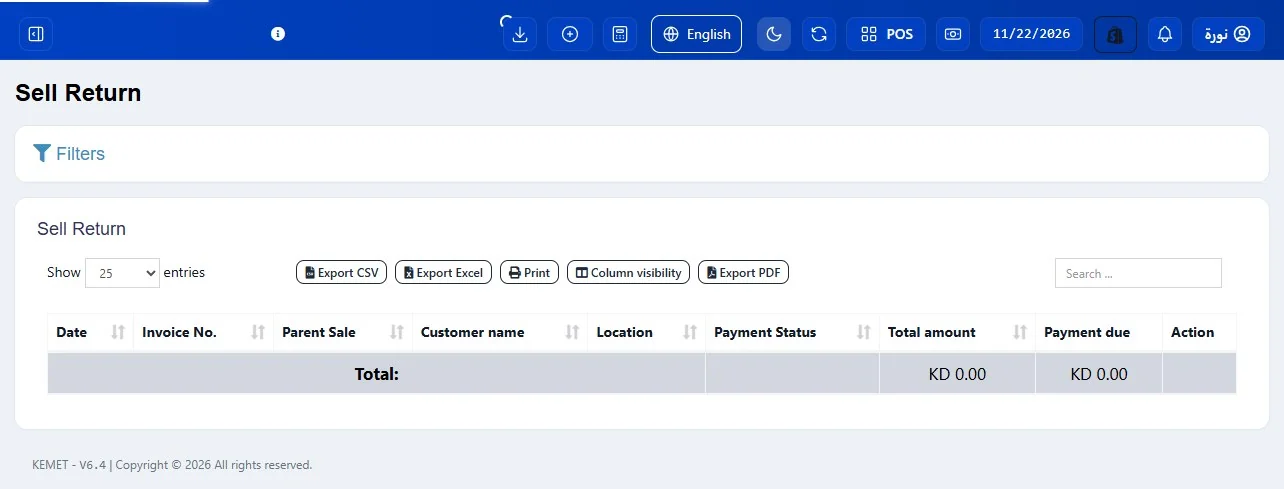
- Find the original invoice or relevant return record.
- Match the branch, variation, and physical return quantity.
- Check refund method and total before approval.
- Verify the inventory and payment history after processing.
Screen path in KEMET
/sell-returnField reference
- Parent sale
- Connects the return to the original invoice.
- Return quantity
- Use only the physical quantity being returned and check the remaining allowance.
- Refund or payment record
- Match the saved movement to the actual refund. Review the payment separately if the return is saved first.
Worked example
A customer bought three units and returned one earlier. Review the parent invoice before preparing a second return for one unit.
The return lists the same variation and branch. The quantity remaining for later returns drops by one.
From ChatGPT or Claude
Help me with List Sell Return. Ask which branch, reference, or dates you need, and show the relevant data before any changes.
Verify the result
- Reopen the return beside the original invoice and check stock movement and recorded refund separately.
Troubleshooting
The operation may have saved before the result appeared.
Search by invoice, customer and branch within the same period before saving again.
The screen or action is missing.
Ask the company administrator to check the add-on, menu visibility, role permissions, and branch scope.
Screen access depends on company settings, the role, and its allowed branches.
Training in the KEMET Academy after signing in /academy/native/returns