 KEMET
Categories
Organize products in distinct parent and child categories.
Steps
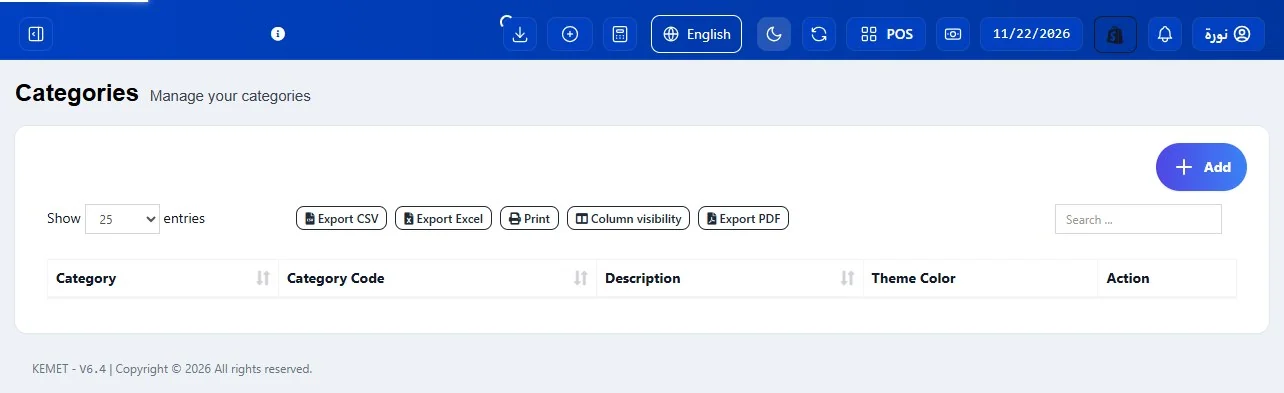
- Open Categories from Products.
- Search for existing categories before adding a similar name.
- Select the parent when creating a subcategory.
- Verify the product filter and assign the intended products.
Screen path in KEMET
/taxonomies?type=productField reference
- Category name
- The category staff see when creating or filtering products.
- Parent category
- Choose a parent to place the new record beneath the correct category.
Worked example
Add Home Fragrance below Home, then assign a demo reed diffuser to the new category.
The category shows under the Home parent and the product can be found by the new filter.
From ChatGPT or Claude
Help me with Categories. Ask which branch, reference, or dates you need, and show the relevant data before any changes.
Verify the result
- Reopen the tree and verify the parent, then check the product’s Category field.
Troubleshooting
The results include the wrong product or option.
Use the exact variant code and review filters and branch access before committing.
The screen or action is missing.
Ask the company administrator to check the add-on, menu visibility, role permissions, and branch scope.
Screen access depends on company settings, the role, and its allowed branches.