 KEMET
Brands
Maintain consistent brand names for catalog search and reports.
Steps
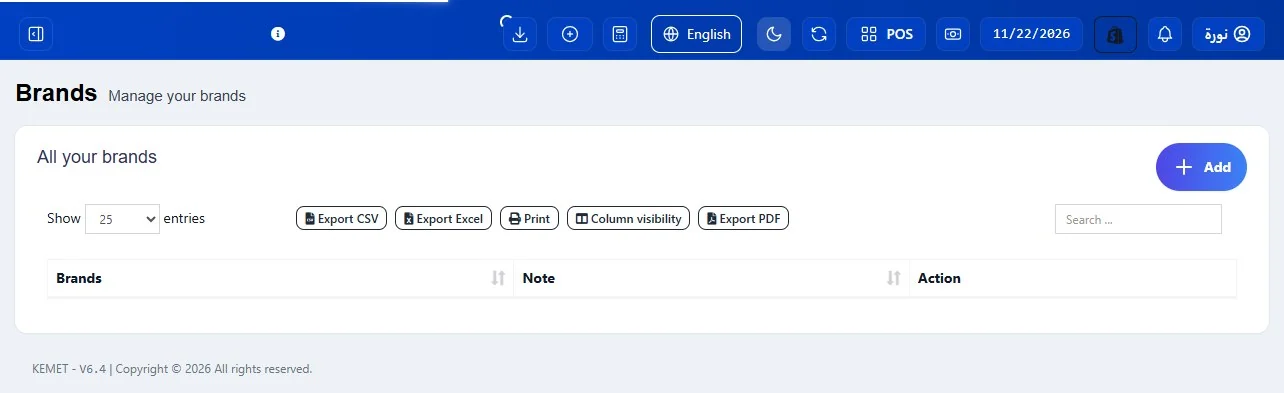
- Search for an existing brand first.
- Check the exact spelling that will be used on products.
- Go to the product and assign the intended brand.
- Use the brand filter to check linked products.
Screen path in KEMET
/brandsField reference
- Name
- This appears in the product form and brand filter.
- Description
- Identify a manufacturer or line if names look similar.
Worked example
An existing product has the brand written as Noor Home on the package. Search for Noor Home before creating a brand, then assign the matched record.
The product appears under the Noor Home filter.
From ChatGPT or Claude
Help me with Brands. Ask which branch, reference, or dates you need, and show the relevant data before any changes.
Verify the result
- Open the product again and check its Brand field.
Troubleshooting
The results include the wrong product or option.
Use the exact variant code and review filters and branch access before committing.
The screen or action is missing.
Ask the company administrator to check the add-on, menu visibility, role permissions, and branch scope.
Screen access depends on company settings, the role, and its allowed branches.