 KEMET
Import Product Name Updates
Update names using the product-name template and the screen's matching key.
Steps
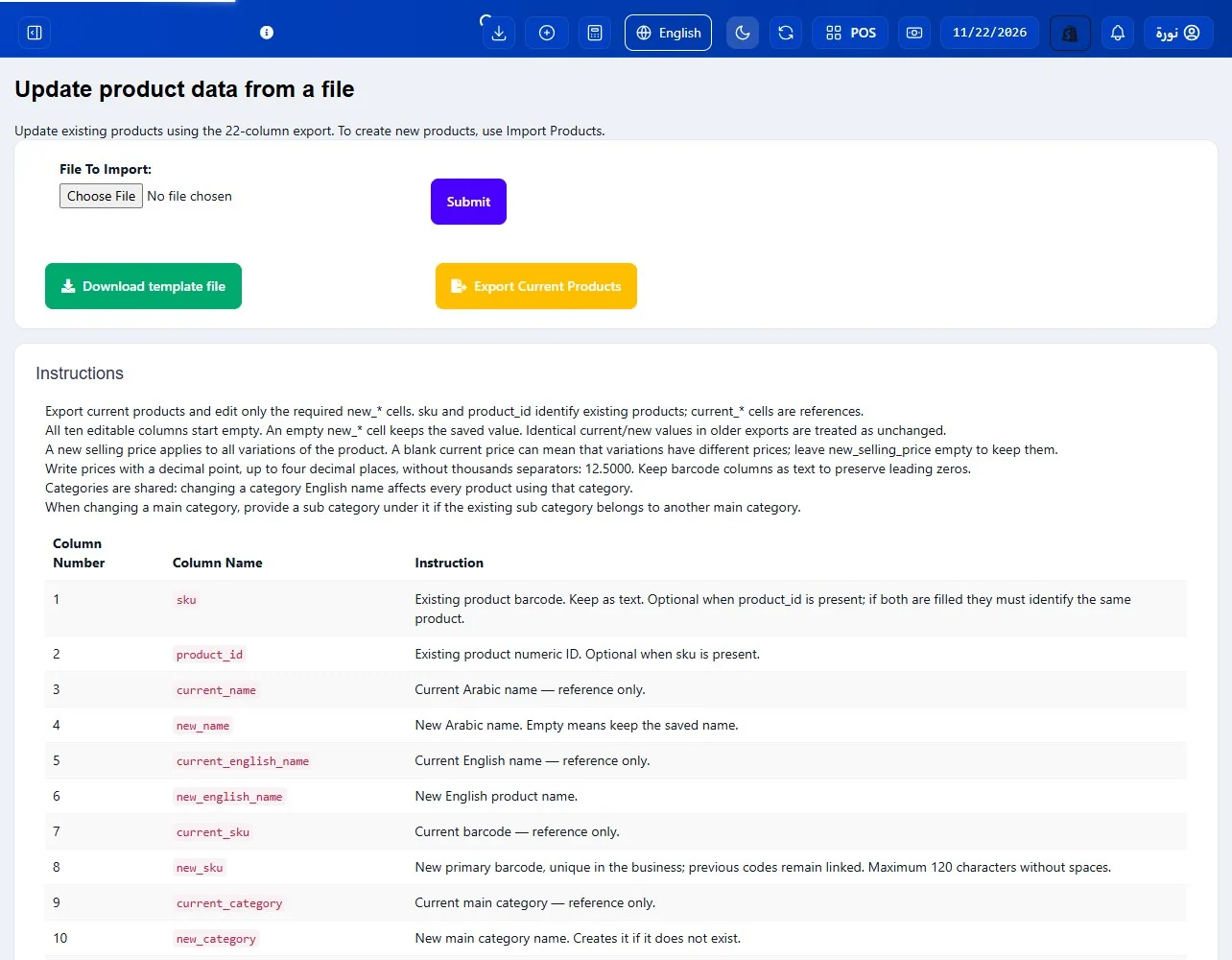
- Download the current name update template.
- Match the product identifier or SKU to the catalog before writing the new name.
- Keep the header structure intact.
- Import and check row errors before retrying.
- Search by product codes and verify the saved names.
Screen path in KEMET
/import-product-namesField reference
- Current identifier
- Identifies the existing row that you intend to change.
- New-name columns
- Enter only the values you intend to replace. An empty new-value field keeps the old value.
- Result counts
- Updated, unchanged and skipped rows tell you what the import changed.
Worked example
In an export, change the display name for SKU N-50 to Noor 50 ml and leave the other new-value fields blank.
Find N-50 again and compare its new name and unchanged code.
Verify the result
- Recheck reported skipped rows before attempting a second upload.
Troubleshooting
The results include the wrong product or option.
Use the exact variant code and review filters and branch access before committing.
The screen or action is missing.
Ask the company administrator to check the add-on, menu visibility, role permissions, and branch scope.
Screen access depends on company settings, the role, and its allowed branches.