 KEMET
Scan a product with AI
Extract initial product details from a photo for review before creating the product card.
Steps
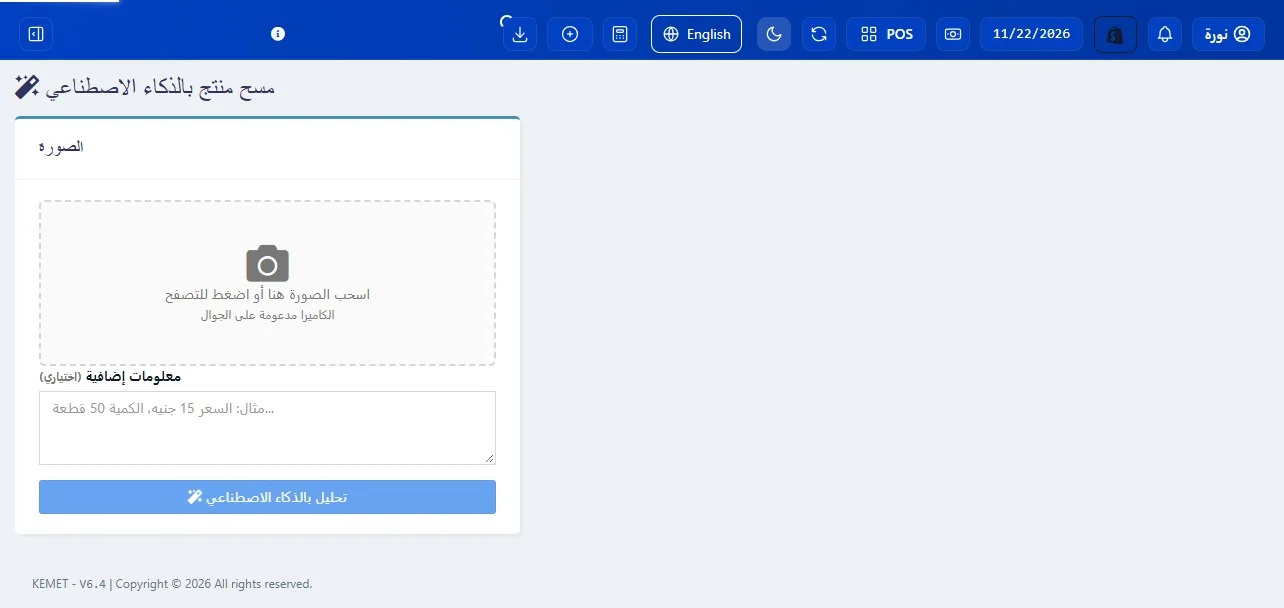
- Provide a clear photo of the packaging and printed details.
- Compare the suggested name, code, unit, and any visible price.
- Complete fields the photo cannot confirm.
- Review the product and variations before approving the save.
Screen path in KEMET
/assistant/product/scanField reference
- Label reading
- Check the name, size and code against the packaging.
- Preview
- Verify category, unit and price, and fill or clarify missing fields.
Worked example
Scan a 50 ml training product and check whether its barcode already exists.
Open the saved item and search by the same code to confirm variant and price.
From ChatGPT or Claude
Help me with Scan a product with AI. Ask which branch, reference, or dates you need, and show the relevant data before any changes.
Verify the result
- Review the product and variations before approving the save.
Troubleshooting
The result does not match the intended record.
Check the original reference, name, and filters before repeating the operation.
The screen or action is missing.
Ask the company administrator to check the add-on, menu visibility, role permissions, and branch scope.
Screen access depends on company settings, the role, and its allowed branches.
Training in the KEMET Academy after signing in /academy/native/products