 KEMET
Analytics
Review assistant usage metrics from the analytics panel.
Steps
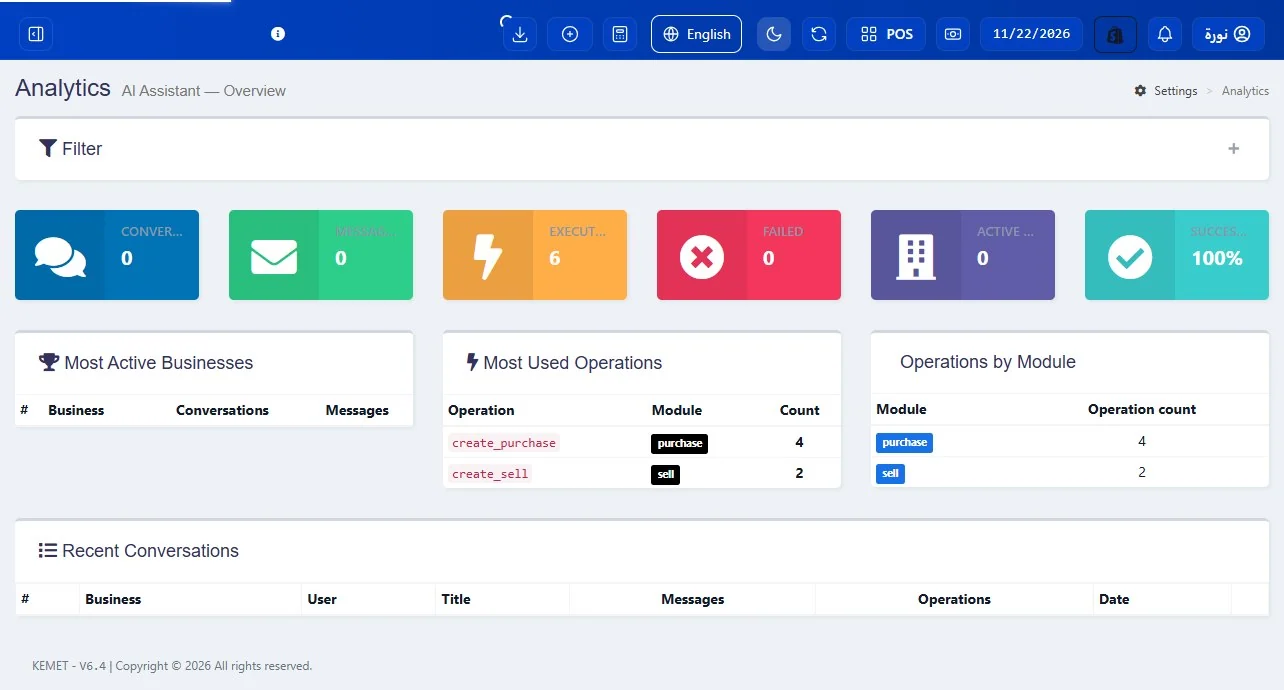
- Choose the period using the available filters.
- Check the metric and operations it includes.
- Use the same period when examining logs.
- Review individual cases before changing permissions.
Screen path in KEMET
/assistant/analyticsField reference
- Period
- Use a consistent range when reviewing assistant activity.
- Outcome
- Distinguish execution, refusal, and pending confirmation.
Worked example
Review a training week and identify requests stopped for variant selection.
Open one log item and confirm the reason and whether execution occurred.
Verify the result
- Review individual cases before changing permissions.
Troubleshooting
The result does not match the intended record.
Check the original reference, name, and filters before repeating the operation.
The screen or action is missing.
Ask the company administrator to check the add-on, menu visibility, role permissions, and branch scope.
Screen access depends on company settings, the role, and its allowed branches.