 KEMET
Scan a supplier invoice
Match lines scanned from a supplier invoice to KEMET products before recording the purchase.
Steps
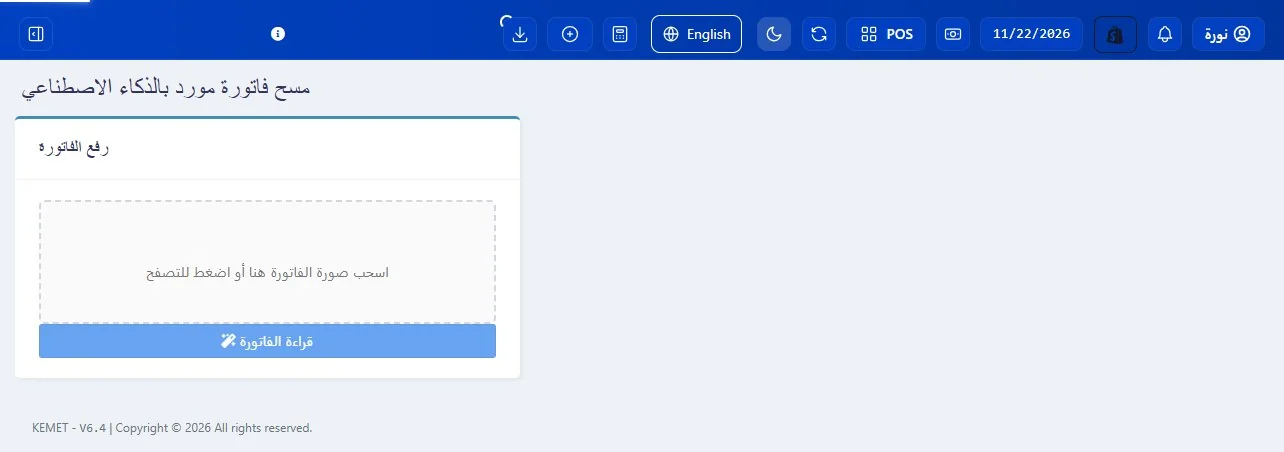
- Identify the supplier and receiving branch on your invoice.
- Provide a clear image of the relevant lines.
- Match product codes and options, then check quantities and costs.
- In the preview, check the total and payment method.
- Continue with the appropriate purchase form or connector tool.
Screen path in KEMET
/assistant/invoice/scanField reference
- Invoice image
- Keep the reference, date, lines, and total readable.
- Supplier and lines
- Check the supplier, SKU or variant, quantity, and cost.
Worked example
A training invoice contains six 100 ml units at 10.900 KWD, totalling 65.400 KWD.
Compare the preview with the document and confirm the intended payment state before approval.
From ChatGPT or Claude
Help me with Scan a supplier invoice. Ask which branch, reference, or dates you need, and show the relevant data before any changes.
Verify the result
- Continue with the appropriate purchase form or connector tool.
Troubleshooting
The result does not match the intended record.
Check the original reference, name, and filters before repeating the operation.
The screen or action is missing.
Ask the company administrator to check the add-on, menu visibility, role permissions, and branch scope.
Screen access depends on company settings, the role, and its allowed branches.
Training in the KEMET Academy after signing in /academy/native/purchases