 KEMET
Settings
Review the KEMET assistant settings made available to the business.
Steps
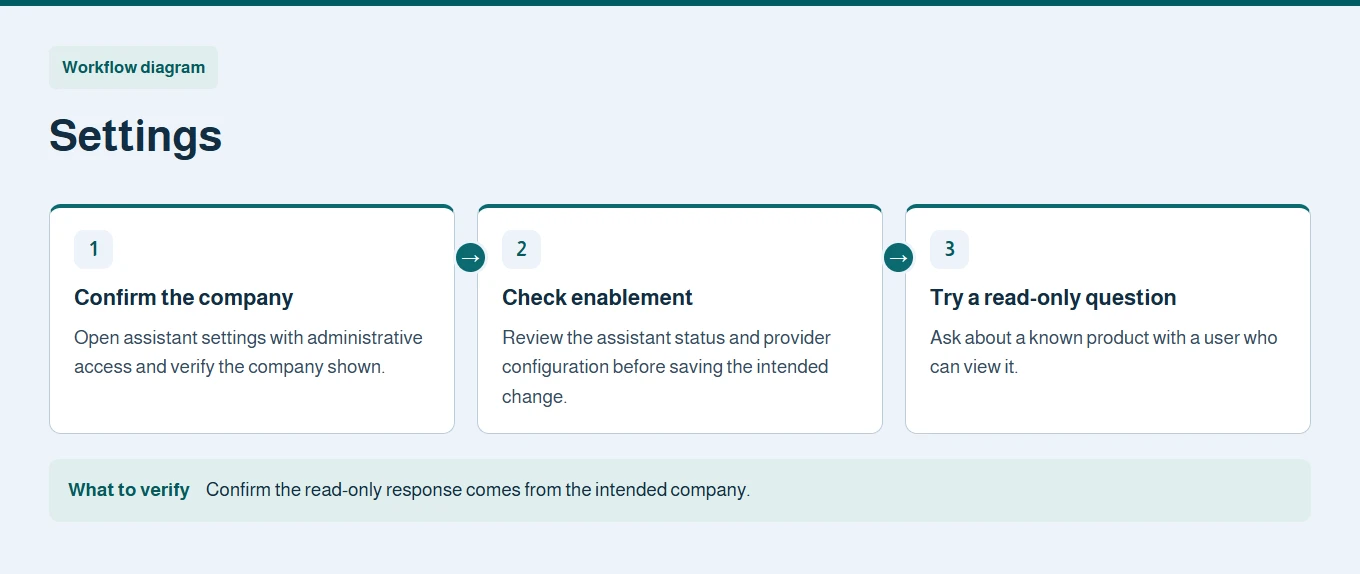
- Open the assistant settings.
- Verify the company and current configuration.
- Review each changed option before saving.
- Test a read-only question with an authorized user.
Screen path in KEMET
/assistant/settingsField reference
- Assistant setting
- Review the options available to the company and isolate the required change.
- Post-save check
- Try a read and then a scoped change preview.
Worked example
Review the assistant settings of a training company and then try a product lookup.
Confirm access stays within the company and a change still requires review.
Verify the result
- Test a read-only question with an authorized user.
Troubleshooting
The result does not match the intended record.
Check the original reference, name, and filters before repeating the operation.
The screen or action is missing.
Ask the company administrator to check the add-on, menu visibility, role permissions, and branch scope.
Screen access depends on company settings, the role, and its allowed branches.