 KEMET
Shipments
Review shipments attached to sales and their current status.
Steps
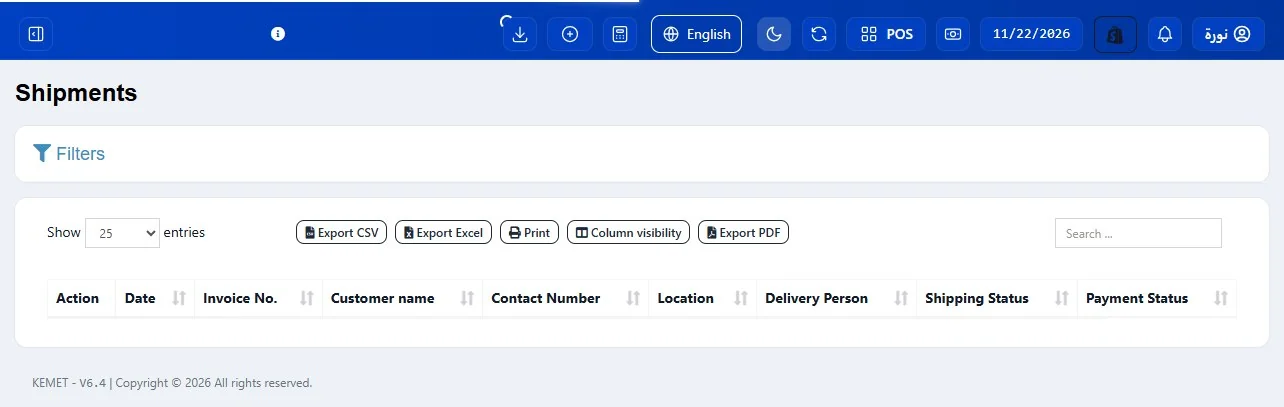
- Select branch or status as appropriate.
- Open the shipment linked to its invoice.
- Verify what the carrier actually accepted before updating delivery information.
- Check the saved status after using the authorized action.
Screen path in KEMET
/shipmentsField reference
- Shipping status
- Choose the status that matches the actual stage of this shipment.
- Invoice
- Connects the shipment to the sale and customer.
- Delivery details
- Check the details against the handover or carrier information before saving.
Worked example
Find the shipment linked to demo invoice S-128. Compare its customer and current status with the recorded carrier handover.
The shipping record reflects the physical movement and stays linked to the same invoice.
Verify the result
- Reopen the shipment and verify the customer, status and linked sale.
Troubleshooting
The operation may have saved before the result appeared.
Search by invoice, customer and branch within the same period before saving again.
The screen or action is missing.
Ask the company administrator to check the add-on, menu visibility, role permissions, and branch scope.
Screen access depends on company settings, the role, and its allowed branches.