 KEMET
Subscriptions
Track recurring sale records used by your business.
Steps
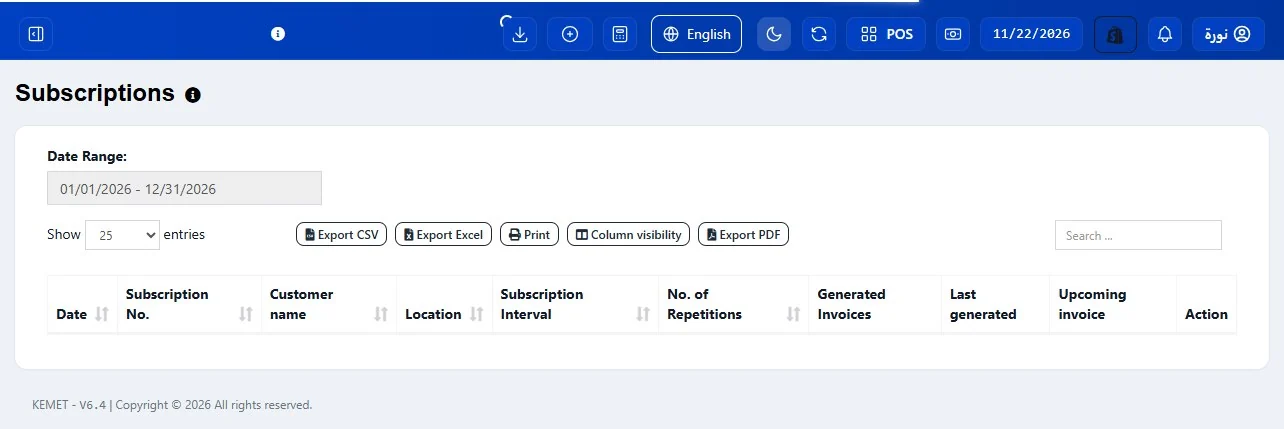
- Open the subscription and check its customer and schedule status.
- Review displayed intervals and next invoice details.
- Check which invoices have already been generated before editing.
- Verify the subscription's new status after any save.
Screen path in KEMET
/sells/subscriptionsField reference
- Subscription reference
- Identifies the recurring sale arrangement.
- Interval and frequency
- Describe the recurring schedule that generates invoices under this setup.
- Customer
- Check the account that should receive the recurring sale.
Worked example
Review a monthly demo subscription for one product. Compare the last generated invoice with the intended schedule before editing.
The visible schedule and generated invoice history match the customer’s arrangement.
Verify the result
- Reopen the subscription to verify the new schedule and review the already generated invoices separately.
Troubleshooting
The operation may have saved before the result appeared.
Search by invoice, customer and branch within the same period before saving again.
The screen or action is missing.
Ask the company administrator to check the add-on, menu visibility, role permissions, and branch scope.
Screen access depends on company settings, the role, and its allowed branches.