 KEMET
Add Quotation
Prepare a price quotation with item and variation detail before a sale is final.
Steps
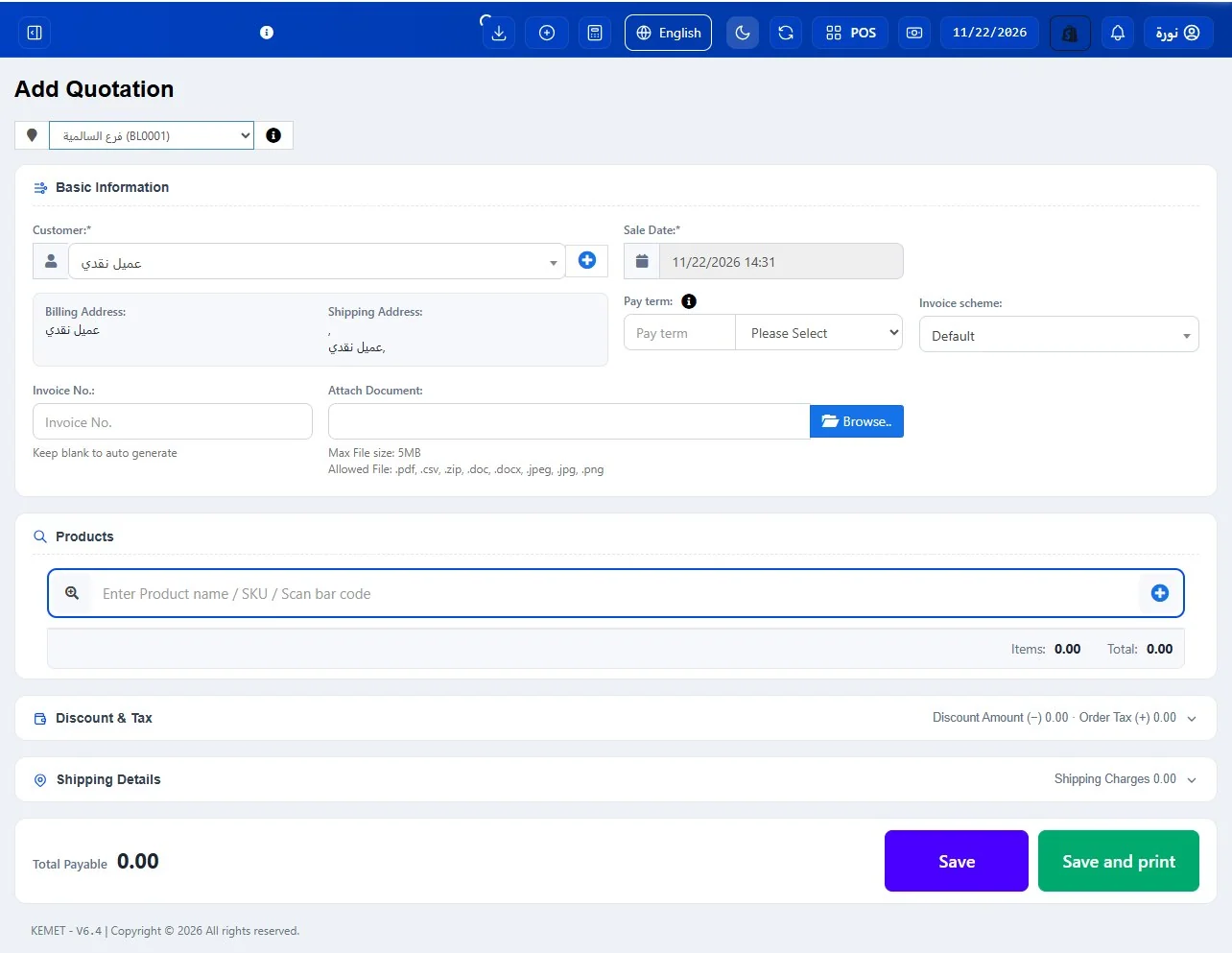
- Select the customer and branch.
- Enter product options, quantities, and agreed prices.
- Check discounts, total, and terms the customer will see.
- Save as a quotation and review it from the quotations list.
Screen path in KEMET
/sells/create?status=quotationField reference
- Customer
- The person or account the quotation is for.
- Item price and discount
- Check the offered amounts the customer will see in this quotation.
- Quotation status
- Keeps the record available in the quotations list for review or conversion.
Worked example
Offer three demo items at 6.000 KWD per unit. Review the 18.000 KWD subtotal before other charges or discounts.
The saved reference appears in the quotation list with the selected lines and offered prices.
From ChatGPT or Claude
Help me with Add Quotation. Ask which branch, reference, or dates you need, and show the relevant data before any changes.
Verify the result
- Open the saved quotation and compare the customer, quantities and total with the offer before sharing.
Troubleshooting
The operation may have saved before the result appeared.
Search by invoice, customer and branch within the same period before saving again.
The screen or action is missing.
Ask the company administrator to check the add-on, menu visibility, role permissions, and branch scope.
Screen access depends on company settings, the role, and its allowed branches.
Training in the KEMET Academy after signing in /academy/native/sales