 KEMET
Variations
Create size or color templates for variable products.
Steps
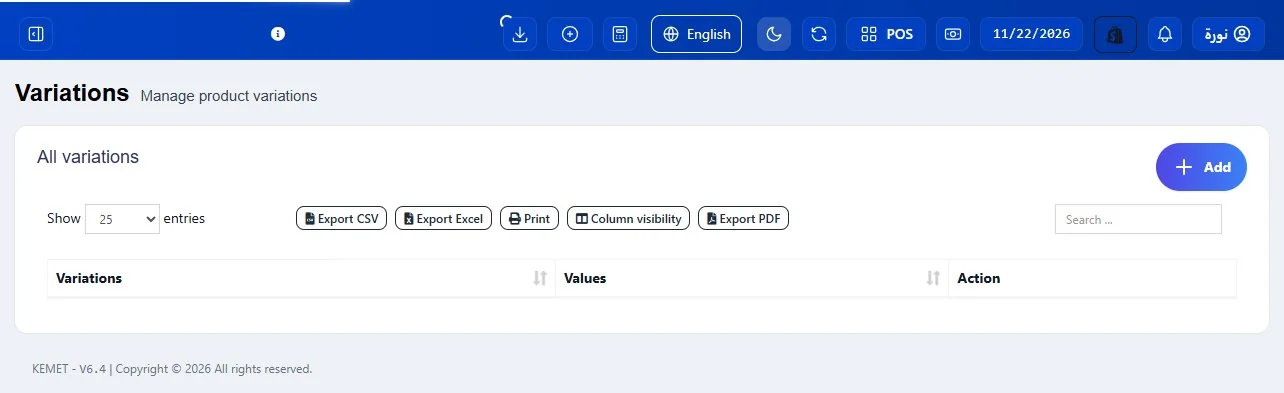
- Check for an existing size or color template.
- Give the template a name such as Size.
- Enter each option separately, for example 50 ml and 100 ml.
- Select the template on a variable product and check price and code per row.
Screen path in KEMET
/variation-templatesField reference
- Template name
- Identifies the kind of option, such as Size or Color.
- Variation values
- Each value is one distinct option offered when the template is used on a product.
Worked example
Create a Volume template with 50 ml and 100 ml as separate values, then select it in a test product form.
Both values appear separately and each row can have its own code and price.
Related connector tools
- Rename a size or colour
products_update_variation_name - Add a sizes list
products_add_variation_template
Verify the result
- Reopen the template to review the exact spelling and check its values on a variable product.
Troubleshooting
The results include the wrong product or option.
Use the exact variant code and review filters and branch access before committing.
The screen or action is missing.
Ask the company administrator to check the add-on, menu visibility, role permissions, and branch scope.
Screen access depends on company settings, the role, and its allowed branches.
Training in the KEMET Academy after signing in /academy/native/products