 KEMET
Update Price
Review and change product prices when your permissions allow it.
Steps
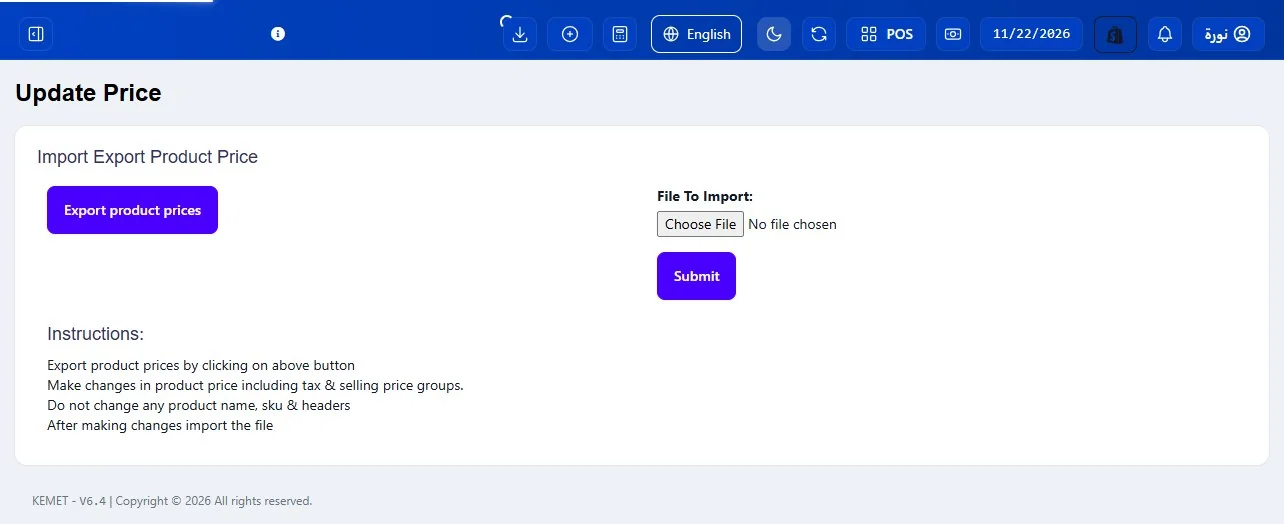
- Open the price update screen.
- Identify the intended product and variation before entering a new price.
- Check whether the product's price includes tax.
- Save and verify the same variation in the product list.
Screen path in KEMET
/update-product-priceField reference
- Variation ID or code
- Identifies an exact row rather than all sizes of the product.
- Price column
- Pick the regular or specific selling-group column intended for the edit.
- Tax price treatment
- Check the sheet and product to know whether the selected price includes tax.
Worked example
In a freshly exported file, change the normal price of 100 ml to 9.000 KWD and leave its wholesale column alone.
Reopen 100 ml and compare both prices with the reviewed export.
From ChatGPT or Claude
Prepare a price change for the 50 ml variants I identify. Show the code and old and new prices before approval.
Related connector tools
- Change a selling price
update_product_price - Change a purchase price
products_update_purchase_price
Verify the result
- Check the reported result and compare the old and new price on the intended variation only.
Troubleshooting
The results include the wrong product or option.
Use the exact variant code and review filters and branch access before committing.
The screen or action is missing.
Ask the company administrator to check the add-on, menu visibility, role permissions, and branch scope.
Screen access depends on company settings, the role, and its allowed branches.