 KEMET
Production
Record output and ingredient use according to a product recipe and branch quantities.
Steps
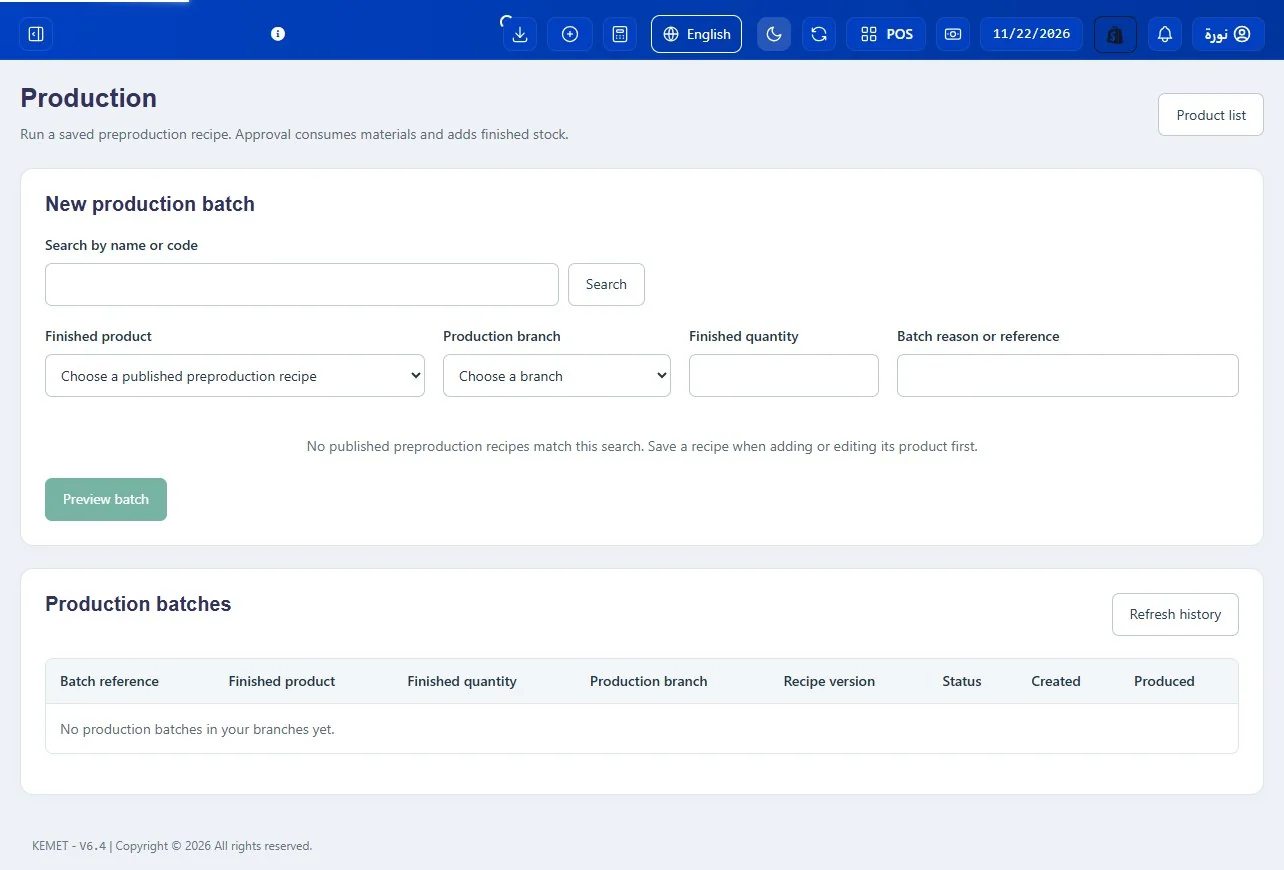
- Review the recipe and ingredient units before opening Production.
- Choose the branch, output product, and produced quantity.
- Check ingredient stock and the quantities to consume.
- After saving, verify input and output on the stock history.
Screen path in KEMET
/productionField reference
- Output product and quantity
- The exact finished variation and how many units the batch should produce.
- Branch
- Controls where ingredients are consumed and the output is added.
- Preview consumption
- Amounts computed from the recipe for this batch size. Check the quantities before approval.
Worked example
Prepare a training batch yielding four units at Salmiya. Compare the displayed usage against that recipe before recording it.
For a recorded batch, view the output and ingredient movements at the same branch.
Related connector tools
- Product recipe
create_product_recipe
Verify the result
- Match the batch’s finished quantity and each ingredient movement against the preview.
Troubleshooting
The results include the wrong product or option.
Use the exact variant code and review filters and branch access before committing.
The screen or action is missing.
Ask the company administrator to check the add-on, menu visibility, role permissions, and branch scope.
Screen access depends on company settings, the role, and its allowed branches.