 KEMET
Locations and domain
Review online ordering locations and store domains available to the business.
Steps
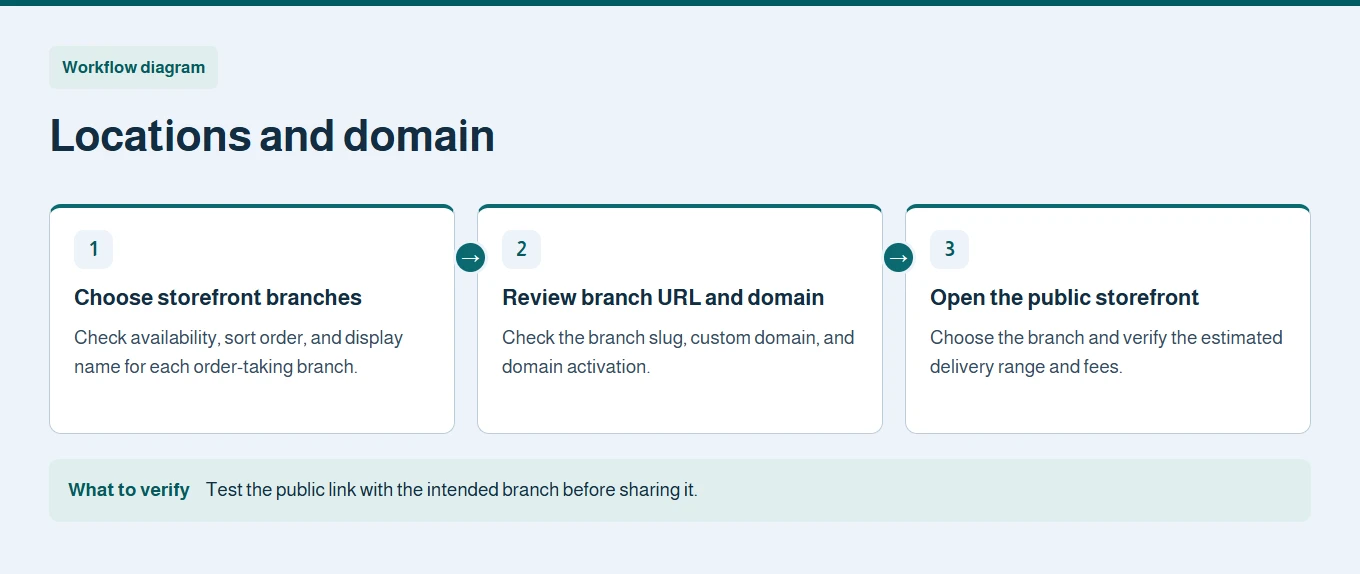
- Open Locations and domain.
- Check the order-taking branches and their status.
- Check the domain name and status before sharing it with customers.
- Open the public URL and verify the intended location.
Screen path in KEMET
/online-orders/settings/locationsField reference
- Locations
- Choose the branches used by the store's current configuration.
- Domain
- The hostname visitors use to open the storefront.
Worked example
Check Salmiya's mapping and open the configured test storefront URL.
Verify the correct domain opens and the intended branch appears in the test journey.
Verify the result
- Open the public URL and verify the intended location.
Troubleshooting
The result does not match the intended record.
Check the original reference, name, and filters before repeating the operation.
The screen or action is missing.
Ask the company administrator to check the add-on, menu visibility, role permissions, and branch scope.
Requires the applicable Online Orders feature for the company and access for the signed-in user.