 KEMET
Online catalog
Review which catalog products customers can see online.
Steps
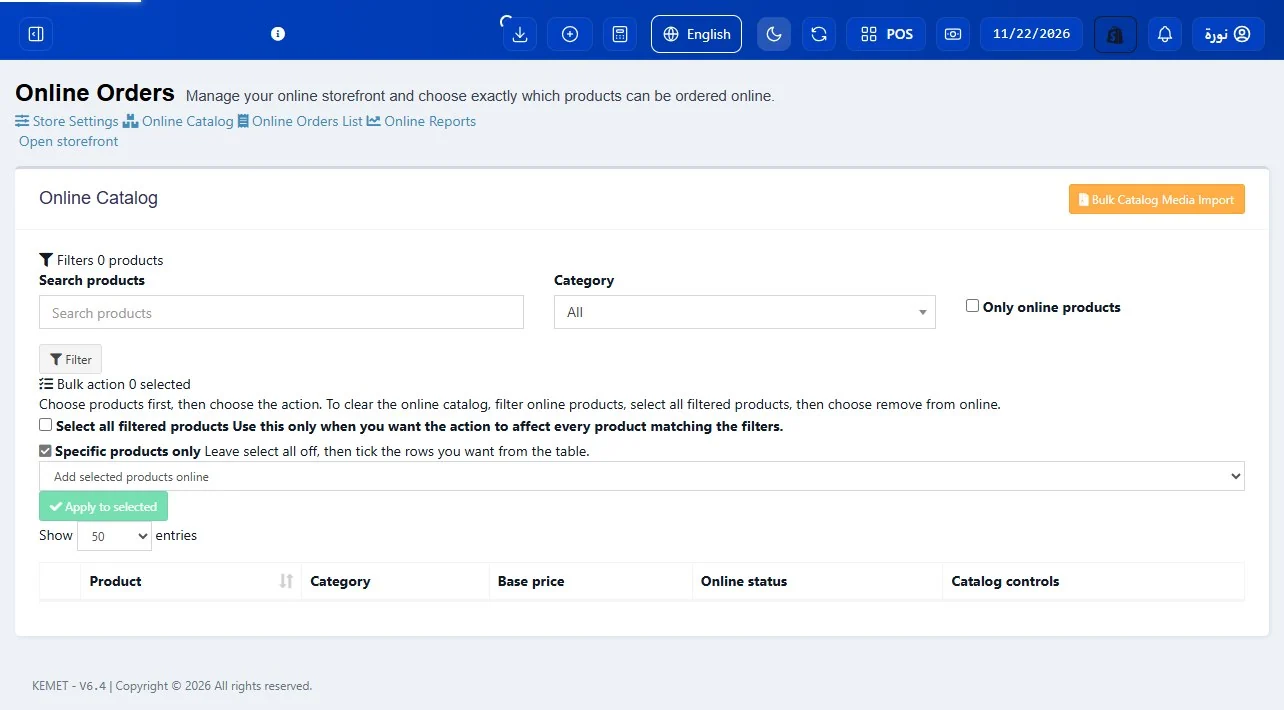
- Find the product by code or name.
- Review visibility, photos, and variation display.
- Apply the intended visibility under your branch or business rules.
- Check the result on the customer-facing storefront.
Screen path in KEMET
/online-orders/catalogField reference
- Display name
- The name visible on the storefront.
- Availability
- Check listing and stock for the relevant branch.
- Image and price
- Compare the listing media and price with the intended record.
Worked example
Review the 100 ml Musk Al Layl listing, image, and price on a training storefront.
Open the storefront as a visitor and confirm variant, image, and price.
From ChatGPT or Claude
Help me with Online catalog. Ask which branch, reference, or dates you need, and show the relevant data before any changes.
Verify the result
- Check the result on the customer-facing storefront.
Troubleshooting
The result does not match the intended record.
Check the original reference, name, and filters before repeating the operation.
The screen or action is missing.
Ask the company administrator to check the add-on, menu visibility, role permissions, and branch scope.
Requires the applicable Online Orders feature for the company and access for the signed-in user.