 KEMET
Store orders
Track online store orders and the branch responsible for them.
Steps
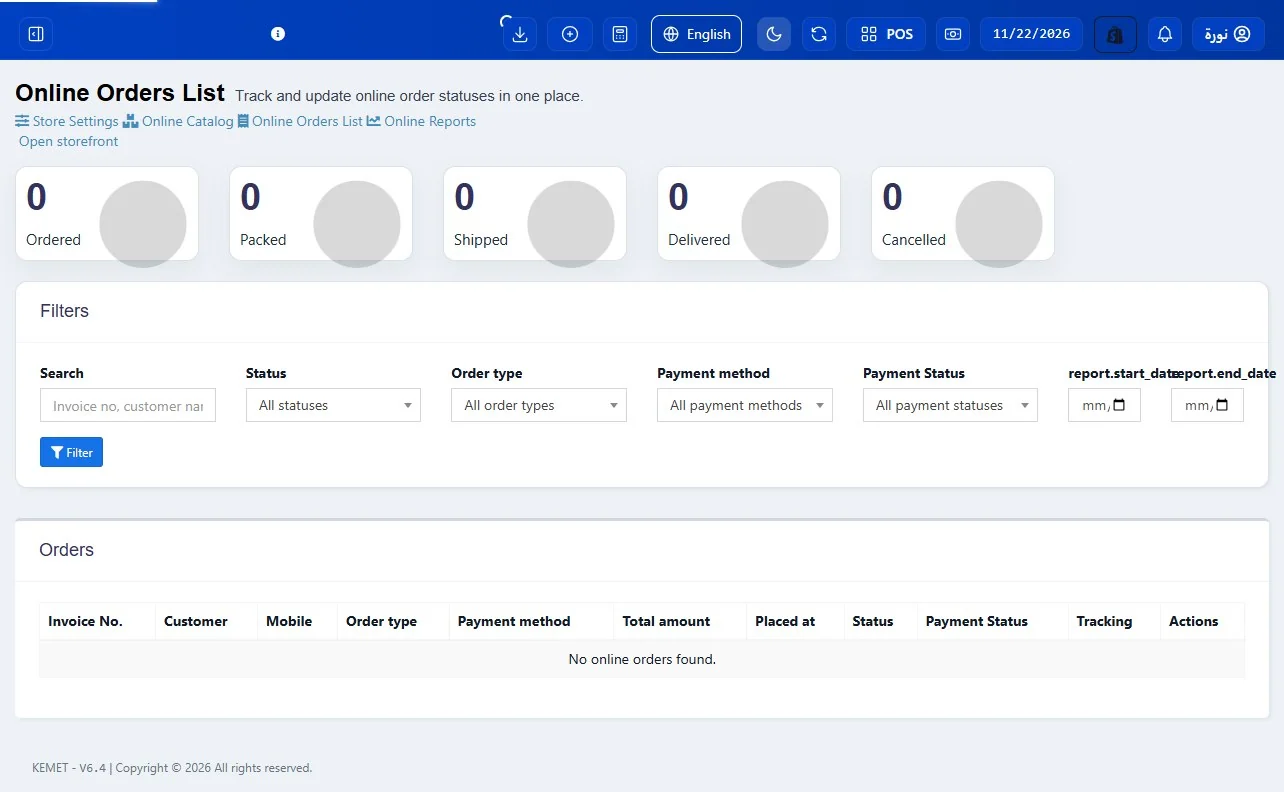
- Choose a status or branch from the list.
- Open the order by number and check items and fulfillment method.
- Use the next status action after verifying the physical stage.
- Check invoicing and fulfillment status after saving.
Screen path in KEMET
/online-orders/ordersField reference
- Order status
- Shows its current stage and available actions.
- Order details
- Review items, quantities, and handoff method before preparation.
Worked example
Open a pickup training order, verify its contents, and prepare the applicable next stage.
Reopen the same order and confirm the stage and handoff method.
From ChatGPT or Claude
Help me with Store orders. Ask which branch, reference, or dates you need, and show the relevant data before any changes.
Related connector tools
- Show or hide in the online store
online_orders_online_toggle_publish - Online store product name
online_orders_online_update_name - Online store price
online_orders_online_update_price - Hide when out of stock
online_orders_online_toggle_hide_out_of_stock
Verify the result
- Check invoicing and fulfillment status after saving.
Troubleshooting
The result does not match the intended record.
Check the original reference, name, and filters before repeating the operation.
The screen or action is missing.
Ask the company administrator to check the add-on, menu visibility, role permissions, and branch scope.
Requires the applicable Online Orders feature for the company and access for the signed-in user.
Training in the KEMET Academy after signing in /academy/native/shopify_orders