 KEMET
Delivery settings
Maintain delivery settings that control availability and fees.
Steps
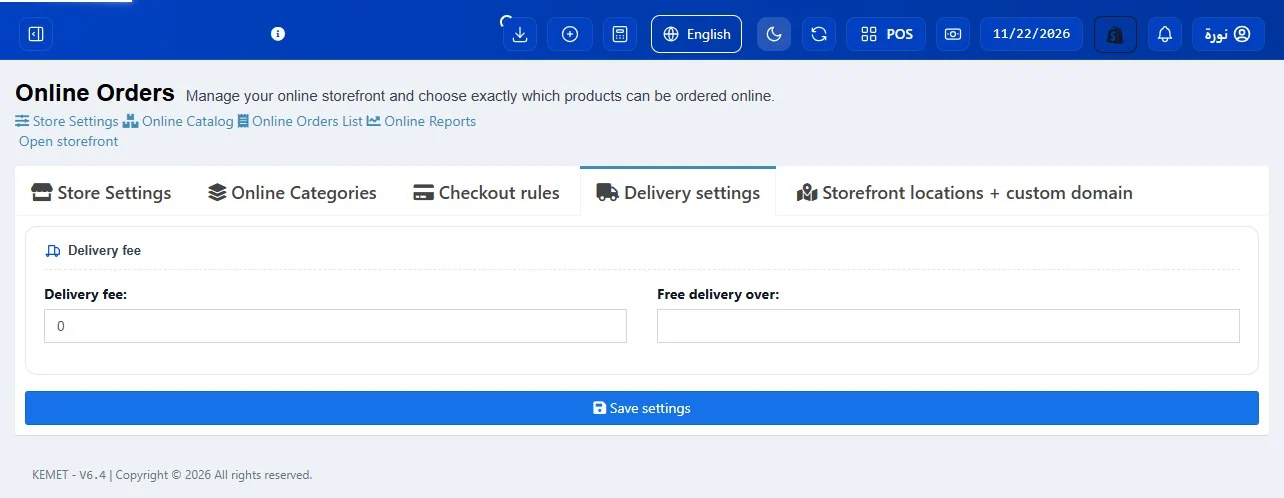
- Open Delivery settings.
- Review the areas, fees, and options available to your company.
- Check their branch and fulfillment assignments.
- Try a training address in the area and verify the quoted fee.
Screen path in KEMET
/online-orders/settings/deliveryField reference
- Delivery method
- Distinguish pickup and delivery where the store provides both.
- Area and fee
- Match the test address to the configured service area and cost.
Worked example
Try a training address inside and outside the configured area.
Compare checkout availability and cost with the saved settings.
Verify the result
- Try a training address in the area and verify the quoted fee.
Troubleshooting
The result does not match the intended record.
Check the original reference, name, and filters before repeating the operation.
The screen or action is missing.
Ask the company administrator to check the add-on, menu visibility, role permissions, and branch scope.
Requires the applicable Online Orders feature for the company and access for the signed-in user.