 KEMET
Payment processor fees
Review processor fees and account mappings against provider statements.
Steps
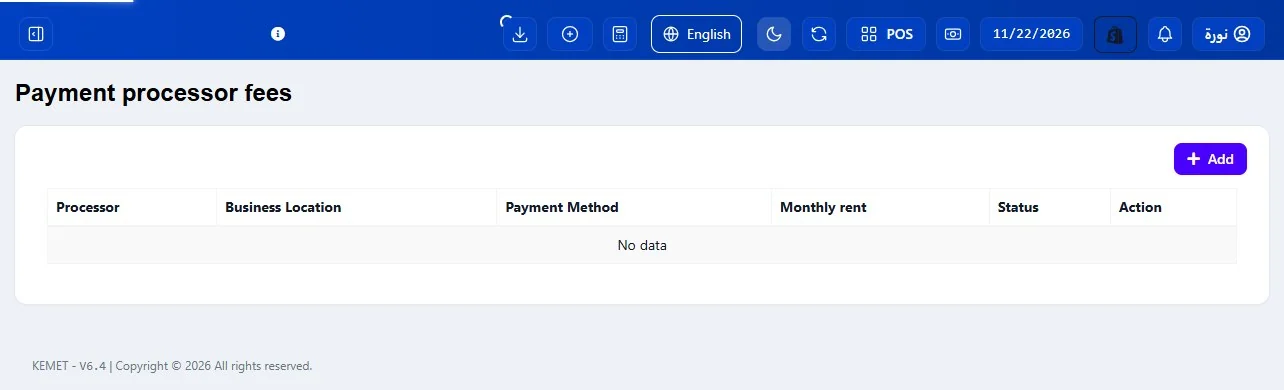
- Open the relevant processor.
- Check how fees are calculated and mapped to accounts.
- Reconcile a sample with the provider statement before saving a change.
- Check the fee report or processor summary afterward.
Screen path in KEMET
/payment-processorsField reference
- Processor
- Provider whose transactions and settlements you want to distinguish.
- Account mapping
- Connects the provider’s movements to the accounting accounts chosen by your finance team.
- Branch context
- Confirm the outlet and payment method used by the test transaction before checking its accounting.
Worked example
Trace a test card payment of 75 through the configured provider and reconcile it to the corresponding settlement reference.
The payment and its settlement can be matched to the expected processor and relevant accounting movement.
From ChatGPT or Claude
Help me with Payment processor fees. Ask which branch, reference, or dates you need, and show the relevant data before any changes.
Verify the result
- Review the processor record and check a single authorized test transaction.
- Retain the payment and settlement references for reconciliation.
Troubleshooting
The amount does not match the document or expected balance.
Check date, branch, source, and prior payments with the account owner before posting another entry.
The screen or action is missing.
Ask the company administrator to check the add-on, menu visibility, role permissions, and branch scope.
Screen access depends on company settings, the role, and its allowed branches.