 KEMET
Accounting Periods
Check accounting periods before entering old dates or closing a period.
Steps
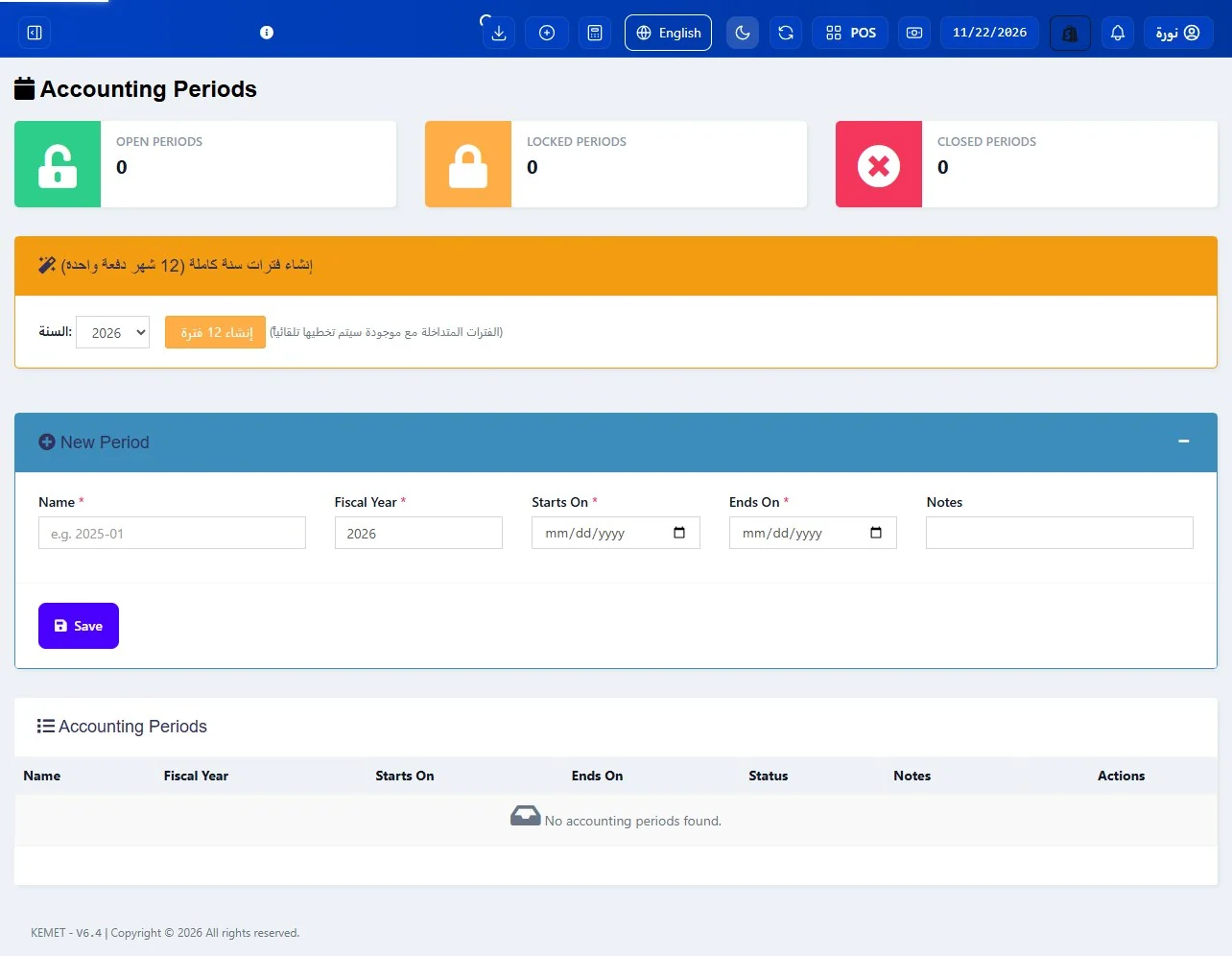
- Match start and end dates in the list.
- Check its current status before posting within that period.
- Close only after accounts are reviewed and your role authorizes it.
- Return to verify the new status.
Screen path in KEMET
/account/accounting-periodsField reference
- Fiscal year
- Year that the period belongs to in the company’s fiscal calendar.
- Start and end dates
- Inclusive limits covering the transactions assigned to the period.
- Status
- Open or closed state used when controlling posting for that date range.
Worked example
Set up November 2026 with start 1 November and end 30 November under the approved fiscal year.
The list shows November with the intended dates and posting state.
Verify the result
- Use the year filter and check that there is no overlapping period.
- Review the period status again before month-end posting or closing.
Troubleshooting
The amount does not match the document or expected balance.
Check date, branch, source, and prior payments with the account owner before posting another entry.
The screen or action is missing.
Ask the company administrator to check the add-on, menu visibility, role permissions, and branch scope.
Screen access depends on company settings, the role, and its allowed branches.