 KEMET
Daily Closing
Reconcile one branch and date before completing daily closing.
Steps
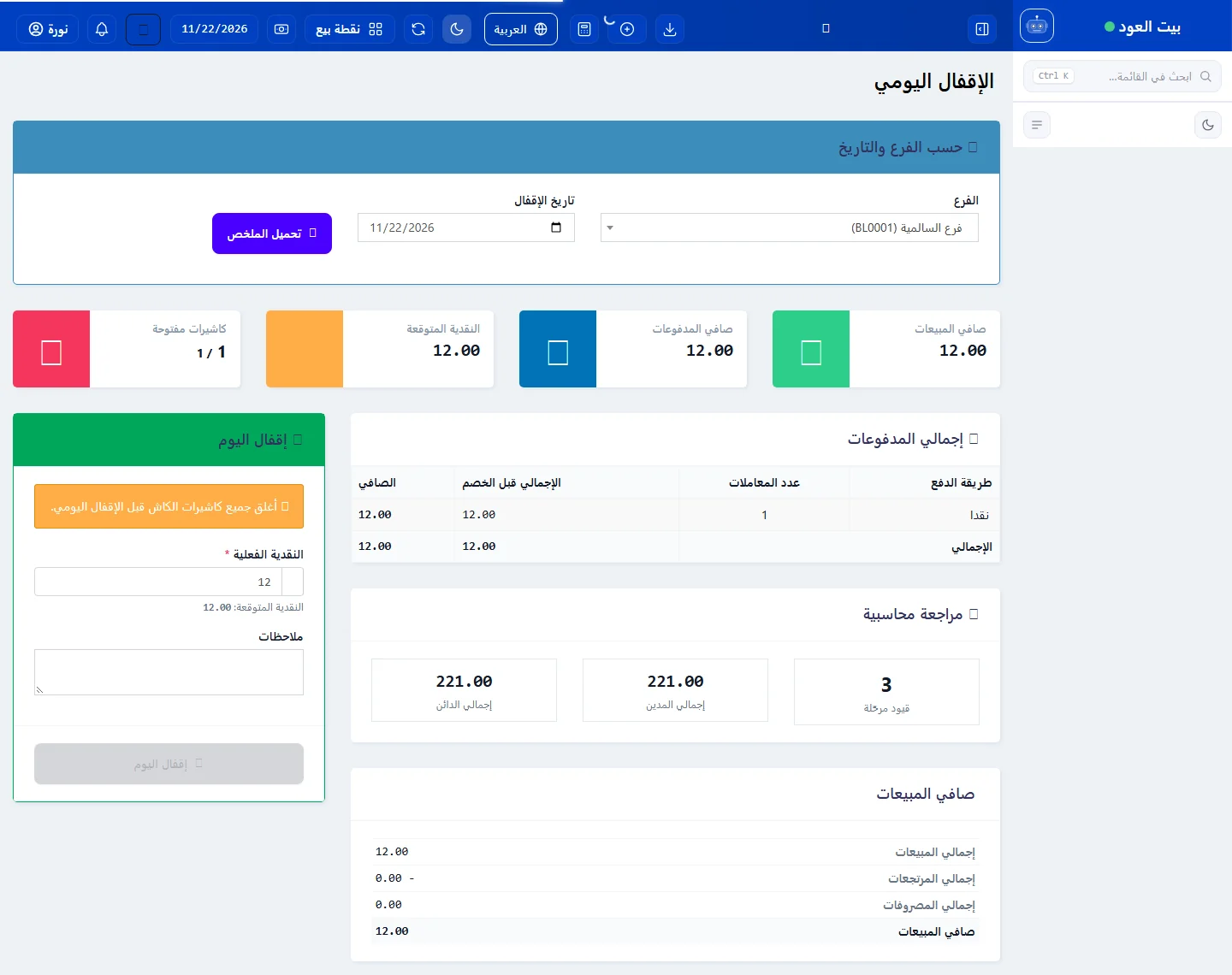
- Select the branch and business date.
- Check expected amounts from posted activity.
- Compare them with actual counts and document differences according to policy.
- Confirm through the authorized action and verify the day status.
Screen path in KEMET
/account/daily-closingsField reference
- Business date
- Day that the movements belong to. Use the same cutoff when comparing source totals.
- Branch
- Outlet whose daily movements are being reconciled.
- Closing status
- Shows progress so the operator can verify what is still open or already closed.
Worked example
Review the Downtown outlet for 5 November and match the closing to the till count and card settlement records.
A single closing record can be matched to the outlet, business date and supporting evidence.
From ChatGPT or Claude
Prepare yesterday’s closing for Salmiya. Compare expected cash with the count I provide and tell me if a register is still open.
Related connector tools
- Daily closing summary
sell_daily_closing_summary
Verify the result
- Verify the date and branch again before signing off.
- Investigate unexplained differences using the corresponding POS and payment records.
Troubleshooting
The amount does not match the document or expected balance.
Check date, branch, source, and prior payments with the account owner before posting another entry.
The screen or action is missing.
Ask the company administrator to check the add-on, menu visibility, role permissions, and branch scope.
Screen access depends on company settings, the role, and its allowed branches.
Training in the KEMET Academy after signing in /academy/native/registers