 KEMET
Shopify orders
Check Shopify orders received by Retail and their local records.
Steps
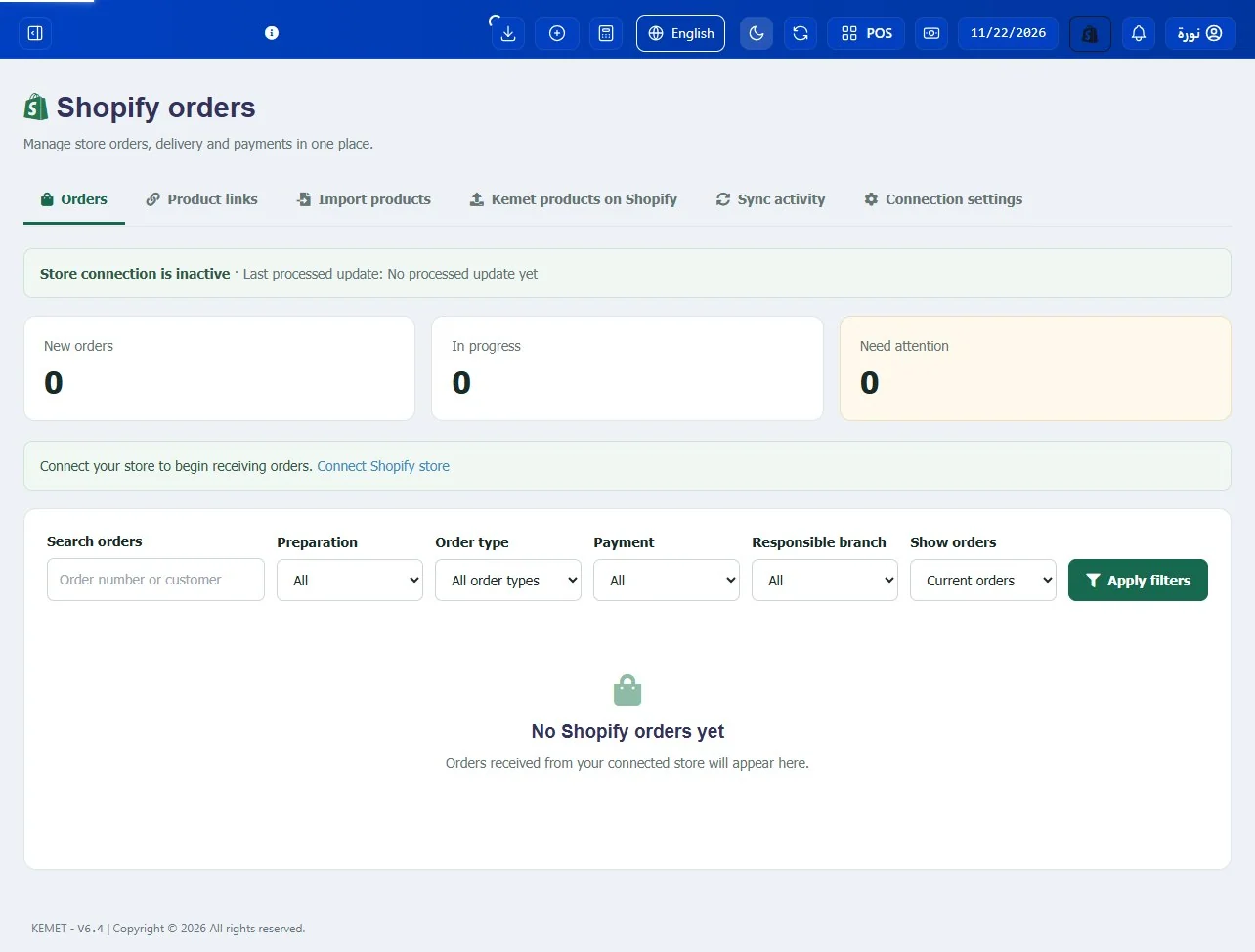
- Open Shopify orders for your company.
- Search by external order number and review status and product matches.
- Open the linked local record before invoicing or shipping.
- Check the branch and fulfillment state after any action.
Screen path in KEMET
/retail/shopifyField reference
- Shopify reference
- Distinguishes the incoming order from other shop orders.
- Link and order state
- Check the workflow shown for the intended shop.
Worked example
Open a linked training order and verify variation and fulfillment branch.
Match the order reference and stage in KEMET with the test shop.
From ChatGPT or Claude
Help me with Shopify orders. Ask which branch, reference, or dates you need, and show the relevant data before any changes.
Verify the result
- Check the branch and fulfillment state after any action.
Troubleshooting
An order or product is missing locally.
Check the connection, variant match and sync log before creating a sale or attempting another sync.
The screen or action is missing.
Ask the company administrator to check the add-on, menu visibility, role permissions, and branch scope.
Requires the applicable Shopify feature for the company and access for the signed-in user.
Training in the KEMET Academy after signing in /academy/native/shopify_orders