 KEMET
Universal Search
Configure universal search when company settings and your role allow it.
Steps
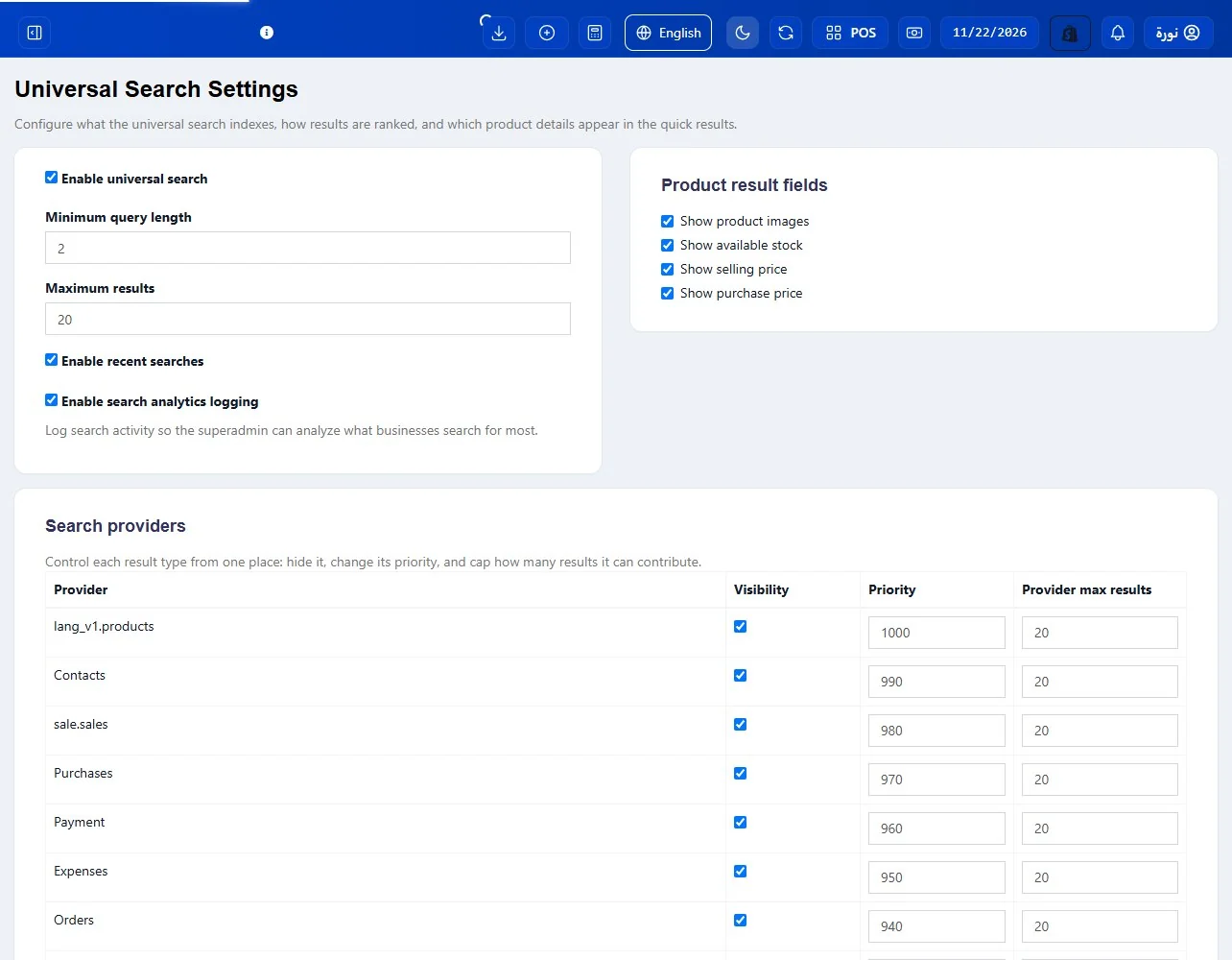
- Open its settings.
- Review the areas that should be available to intended accounts.
- Save the desired settings.
- Try a product name or reference with a limited user to verify visibility.
Screen path in KEMET
/universal-search/settingsField reference
- Search coverage
- Select the record types required for the staff workflow.
- Search check
- Use a known term or SKU and open the resulting record.
Worked example
Search for part of a training product code, then repeat from a restricted account.
Confirm the permitted product opens in the user's own company.
Verify the result
- Try a product name or reference with a limited user to verify visibility.
Troubleshooting
The result does not match the intended record.
Check the original reference, name, and filters before repeating the operation.
The screen or action is missing.
Ask the company administrator to check the add-on, menu visibility, role permissions, and branch scope.
Requires the applicable UniversalSearch feature for the company and access for the signed-in user.