 KEMET
Exchange
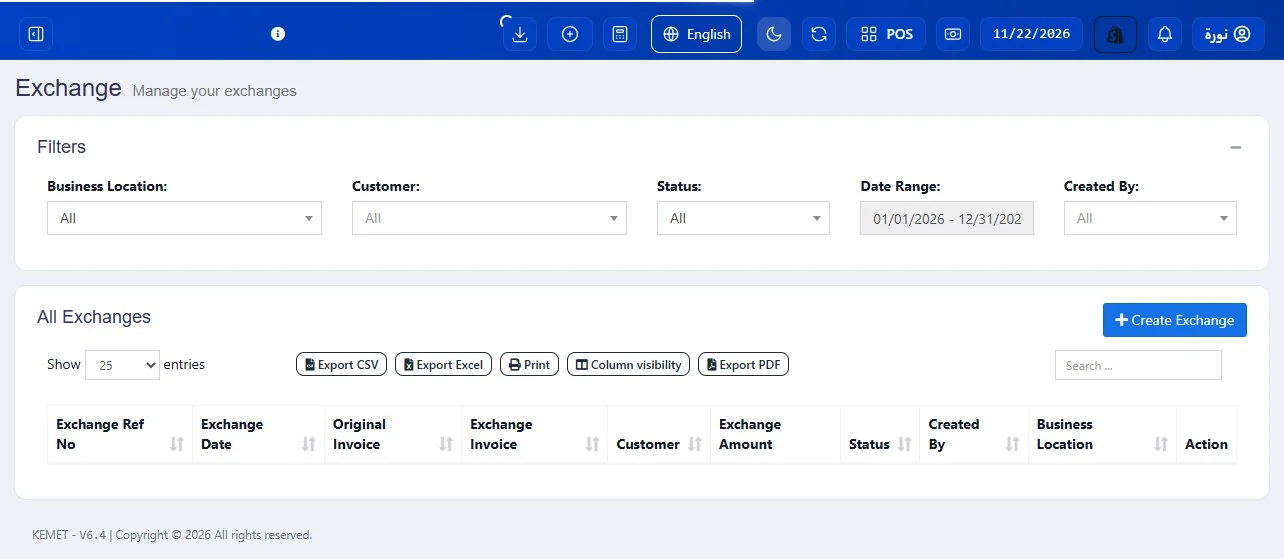
Review exchanges against their original receipt and items.
Steps
- Identify the original sale document.
- Match the returned option and quantity to it.
- Select the replacement product and reconcile the price difference.
- After saving, verify inventory movements and any payment adjustment.
Screen path in KEMET
/exchangeField reference
- Original sale
- Identifies the original item, variant, and quantity.
- Replacement lines
- Choose the exact variant and quantity in a branch you can use.
Worked example
A customer brings back one size and wants another size of the same item.
Check both sets of lines and the difference, then open the exchange record linked to the sale.
Verify the result
- After saving, verify inventory movements and any payment adjustment.
Troubleshooting
The result does not match the intended record.
Check the original reference, name, and filters before repeating the operation.
The screen or action is missing.
Ask the company administrator to check the add-on, menu visibility, role permissions, and branch scope.
Requires the applicable Exchange feature for the company and access for the signed-in user.