 KEMET
Legacy Export
Export legacy records for an authorized migration scope.
Steps
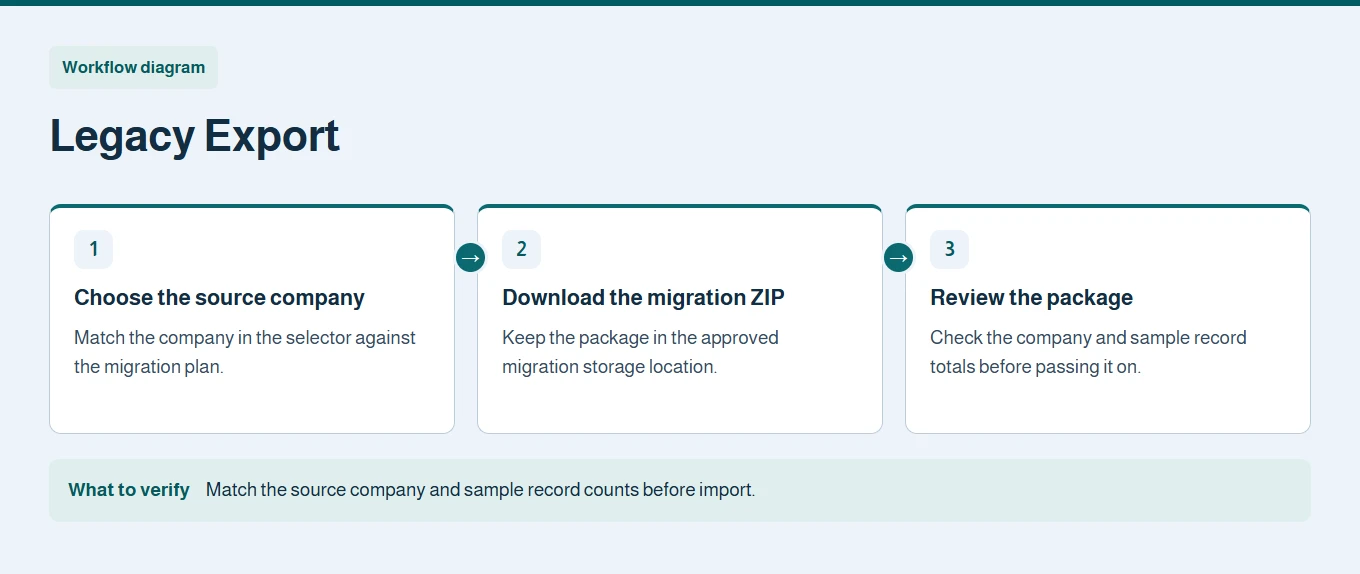
- Review the company and data scope on the export screen.
- Select what is required in the migration plan.
- Download and store the file in an authorized location.
- Verify row counts and representative values before importing it elsewhere.
Screen path in KEMET
/legacy-exportField reference
- Export scope
- Select the records to migrate from the available options.
- Package
- Retain the original file so you can inspect it before importing.
Worked example
Export a sample of the records needed for a test migration.
Confirm the package belongs to the intended company and inspect it on the destination before importing.
Verify the result
- Verify row counts and representative values before importing it elsewhere.
Troubleshooting
The result does not match the intended record.
Check the original reference, name, and filters before repeating the operation.
The screen or action is missing.
Ask the company administrator to check the add-on, menu visibility, role permissions, and branch scope.
Requires the applicable LegacyMigration feature for the company and access for the signed-in user.