 KEMET
Legacy Import
Import a legacy data file into the approved scope.
Steps
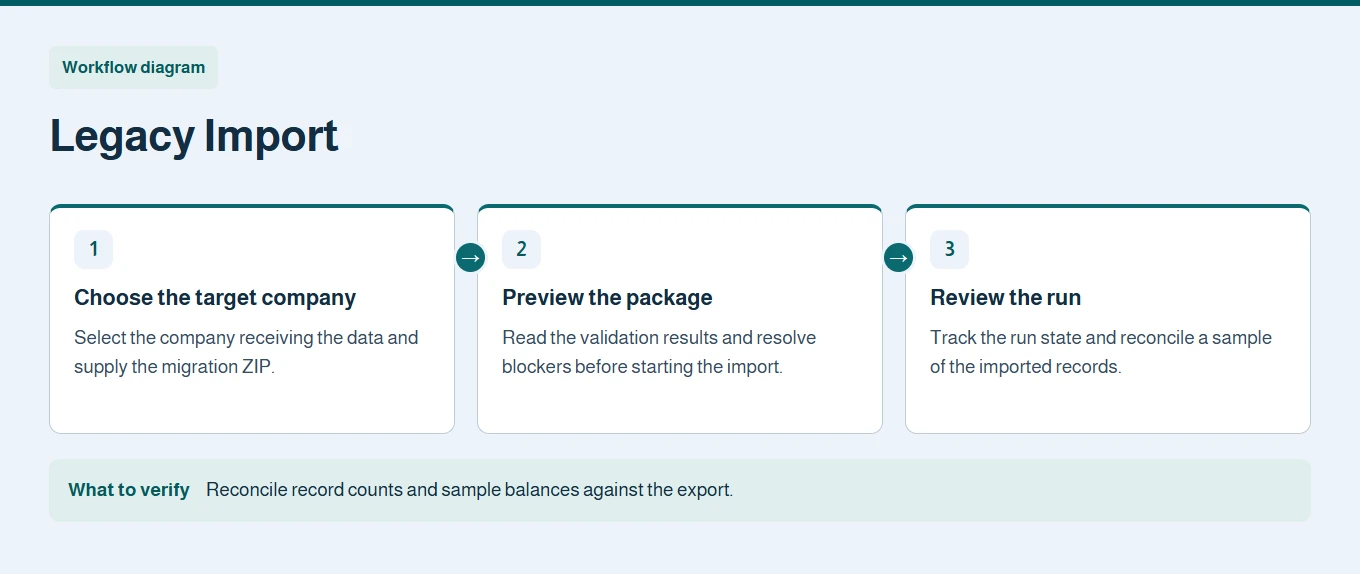
- Verify the intended company and environment.
- Prepare the file in the form required by the screen.
- Review preview or validation results before acting.
- After import, reconcile counts and sampled balances under the migration plan.
Screen path in KEMET
/legacy-importField reference
- Import package
- Upload the approved package for the intended company and scope.
- Preview
- Review the inspected records and warnings before starting.
- Run status
- Track the existing run and open its report after it finishes.
Worked example
Upload a training-company package and inspect counts and conflicts in preview.
Compare the test result with the run report and open a sample of each record type.
Verify the result
- After import, reconcile counts and sampled balances under the migration plan.
Troubleshooting
The result does not match the intended record.
Check the original reference, name, and filters before repeating the operation.
The screen or action is missing.
Ask the company administrator to check the add-on, menu visibility, role permissions, and branch scope.
Requires the applicable LegacyMigration feature for the company and access for the signed-in user.