 KEMET
Company file
Review the company's profile and documents from its account.
Steps
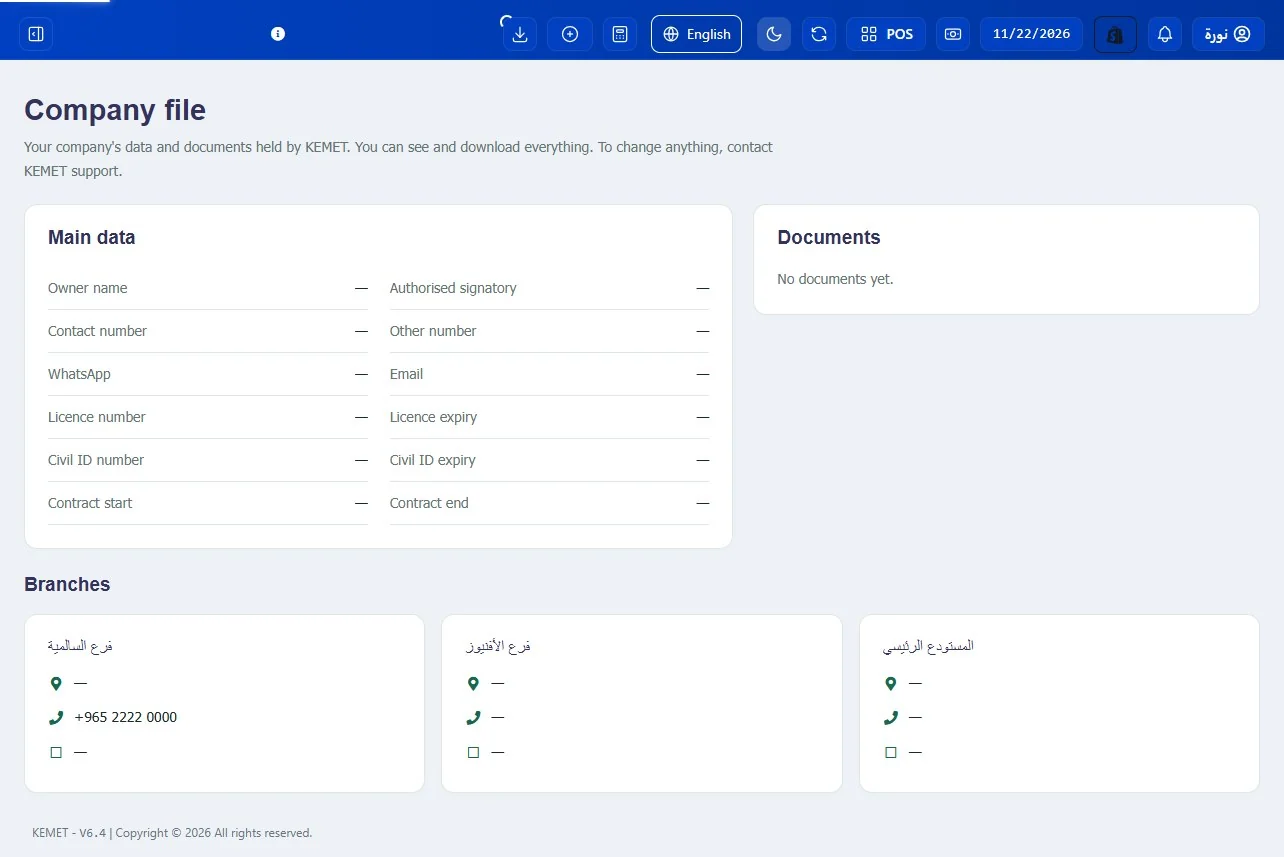
- Open Company file in Settings.
- Verify the business name before opening a document.
- Open the relevant section and check document type and validity date.
- Use the authorized download when needed and keep it in the company's channel.
Screen path in KEMET
/company-fileField reference
- Document
- Check name, category, and date against its source.
- Access
- Identify the users allowed to read it.
Worked example
Open a training company file and find one known document.
Confirm the date and access from an authorized account.
Verify the result
- Use the authorized download when needed and keep it in the company's channel.
Troubleshooting
The result does not match the intended record.
Check the original reference, name, and filters before repeating the operation.
The screen or action is missing.
Ask the company administrator to check the add-on, menu visibility, role permissions, and branch scope.
Screen access depends on company settings, the role, and its allowed branches.