 KEMET
Branch types
Review branch type and rules for warehouses and temporary branches.
Steps
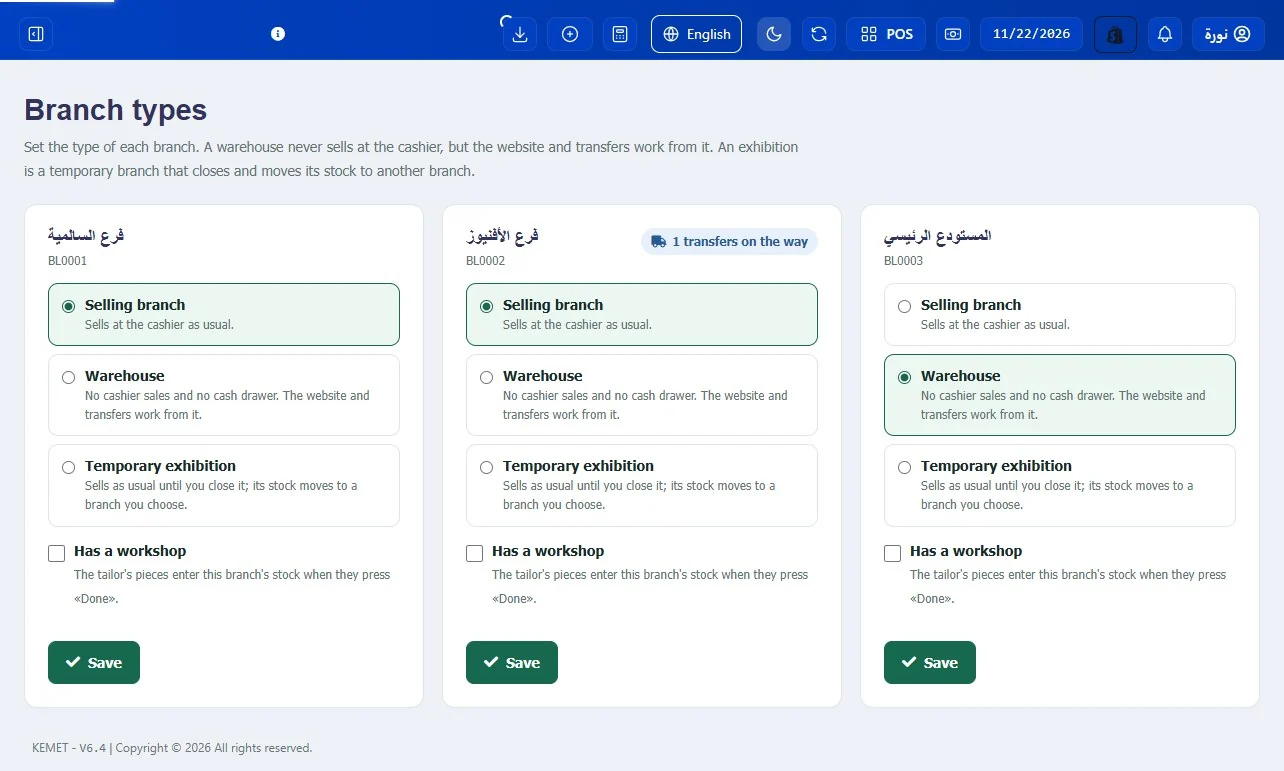
- Choose the branch first.
- Check its assigned role, such as sales, storage, or exhibition, where shown.
- Review incoming transfers and open orders before closing a branch.
- After the authorized action, verify receiving branch, inventory and status.
Screen path in KEMET
/branch-opsField reference
- Branch
- The KEMET location that uses the setup.
- Branch type
- Check the operations available for its role.
Worked example
Review a training pickup branch receiving orders prepared elsewhere.
Open a test order from that branch and verify the intended receival action is available.
Related connector tools
- Branch day summary
branch_branch_daily_summary
Verify the result
- After the authorized action, verify receiving branch, inventory and status.
Troubleshooting
The result does not match the intended record.
Check the original reference, name, and filters before repeating the operation.
The screen or action is missing.
Ask the company administrator to check the add-on, menu visibility, role permissions, and branch scope.
Screen access depends on company settings, the role, and its allowed branches.