 KEMET
Purchase Requisition
Track an internal purchase request before issuing an order to the supplier.
Steps
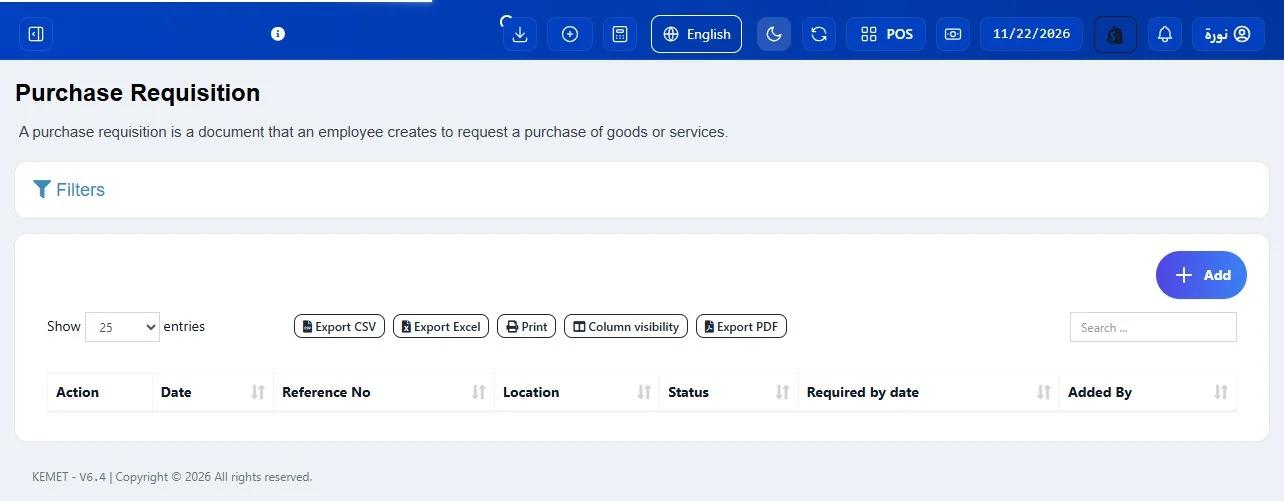
- Find the requisition in the list.
- Review the requester, branch, and quantities.
- Use the action available for its current status when permitted.
- Review the requisition or resulting order before recording the supplier invoice.
Screen path in KEMET
/purchase-requisitionField reference
- Requisition reference
- Identifies the internal demand record.
- Location and requested quantity
- Help the reviewer see who needs what before creating an order.
- Status
- Determines which review or ordering actions are available at this stage.
Worked example
In the demo, check a request for five 100 ml bottles at Salmiya. Compare it with actual need before acting on the request.
Any linked purchase order uses the approved quantities, codes and destination.
Verify the result
- Open any linked order and compare it with the internal requisition before invoicing.
Troubleshooting
The supplier invoice might be unmatched or duplicated.
Check supplier, reference and branch, then compare lines to the saved invoice before retrying.
The screen or action is missing.
Ask the company administrator to check the add-on, menu visibility, role permissions, and branch scope.
Screen access depends on company settings, the role, and its allowed branches.