 KEMET
HR rules
Review HR rules used in attendance calculations.
Steps
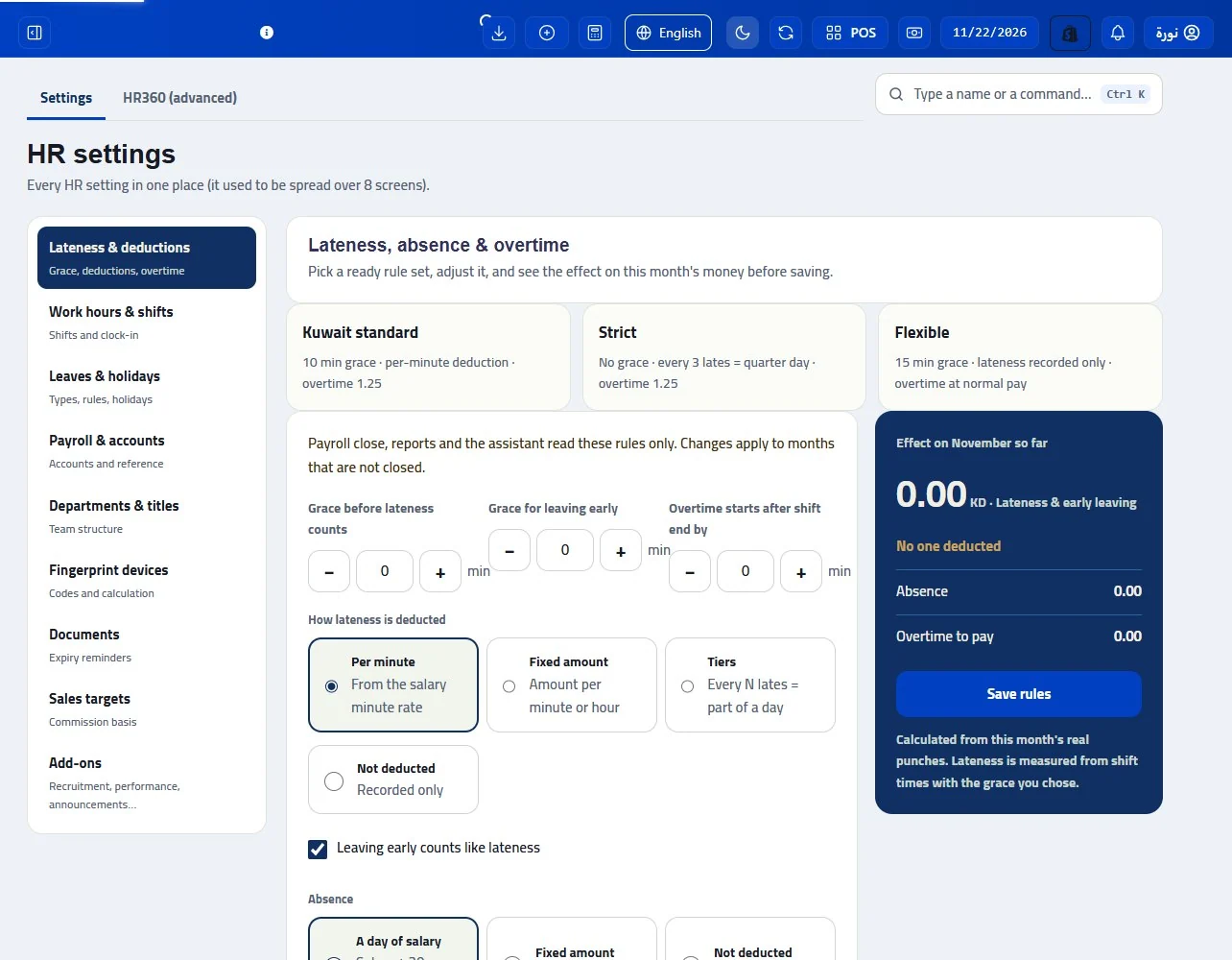
- Open HR rules.
- Check their applicable branches and shifts.
- Run an available preview scenario.
- Save approved values and verify their effect in attendance.
Screen path in KEMET
/hrm/settings/rulesField reference
- Rule
- Identify the intended policy and its effect before editing.
- Rule scope
- Check the company or policy scope available in the screen.
Worked example
Adjust a training attendance rule and review one example event under the new setting.
Compare the example outcome with expected policy behavior before applying it broadly.
Verify the result
- Save approved values and verify their effect in attendance.
Troubleshooting
The row refers to a different employee or day.
Verify branch, employee identifier, and date before approving leave, correcting attendance, or recording a payment.
The screen or action is missing.
Ask the company administrator to check the add-on, menu visibility, role permissions, and branch scope.
Requires the applicable Essentials feature for the company and access for the signed-in user.