 KEMET
Essentials
Review work tasks available through Essentials.
Steps
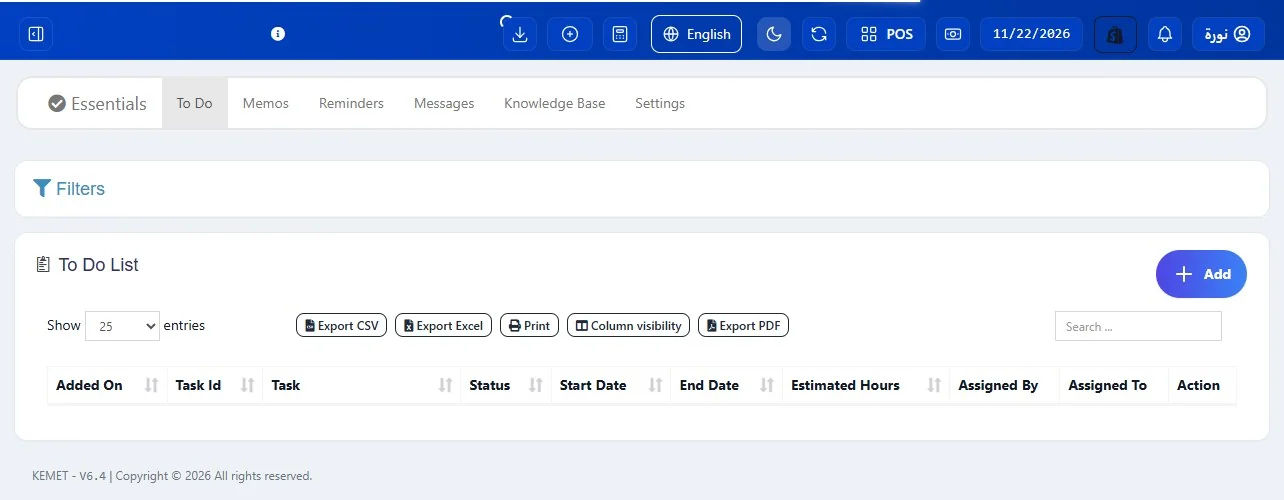
- Open the task list.
- Check assignee and due date before changing status.
- Open the task to review its notes and permitted documents.
- Update status after completing the work.
Screen path in KEMET
/essentials/todoField reference
- Task
- Write a concrete action that can be reviewed from the list.
- Status
- Track whether the task is still open or finished.
Worked example
Create a training task to check the perfume shelf labels and mark it complete during the exercise.
Check the task appears in the intended view with the expected status.
Verify the result
- Update status after completing the work.
Troubleshooting
The row refers to a different employee or day.
Verify branch, employee identifier, and date before approving leave, correcting attendance, or recording a payment.
The screen or action is missing.
Ask the company administrator to check the add-on, menu visibility, role permissions, and branch scope.
Requires the applicable Essentials feature for the company and access for the signed-in user.