 KEMET
Attendance import
Import attendance records after matching dates and employee codes.
Steps
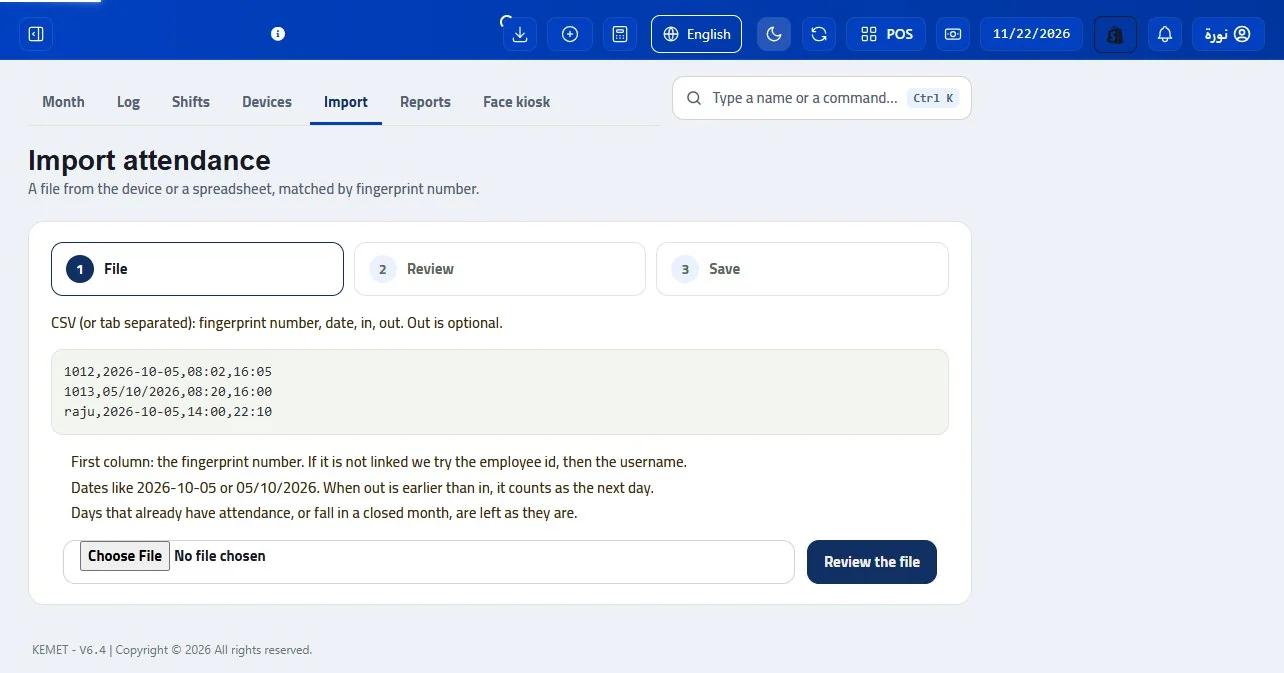
- Open Attendance Import and choose the expected source file.
- Review event times and employee identifiers.
- Check validation results and resolve any errors before confirmation.
- After importing, compare sample events against the attendance log.
Screen path in KEMET
/hrm/attendance-importField reference
- Attendance file
- Match expected columns, dates, and times.
- Employee identifier
- Must resolve to the intended person in the company.
- Import results
- Review accepted and rejected rows before retrying.
Worked example
Import a training file for one employee with an entry and exit on one day.
Open the attendance log for that date and compare both times with the source.
Verify the result
- After importing, compare sample events against the attendance log.
Troubleshooting
The row refers to a different employee or day.
Verify branch, employee identifier, and date before approving leave, correcting attendance, or recording a payment.
The screen or action is missing.
Ask the company administrator to check the add-on, menu visibility, role permissions, and branch scope.
Requires the applicable Essentials feature for the company and access for the signed-in user.