 KEMET
Monthly attendance
Review monthly attendance and find days requiring a correction.
Steps
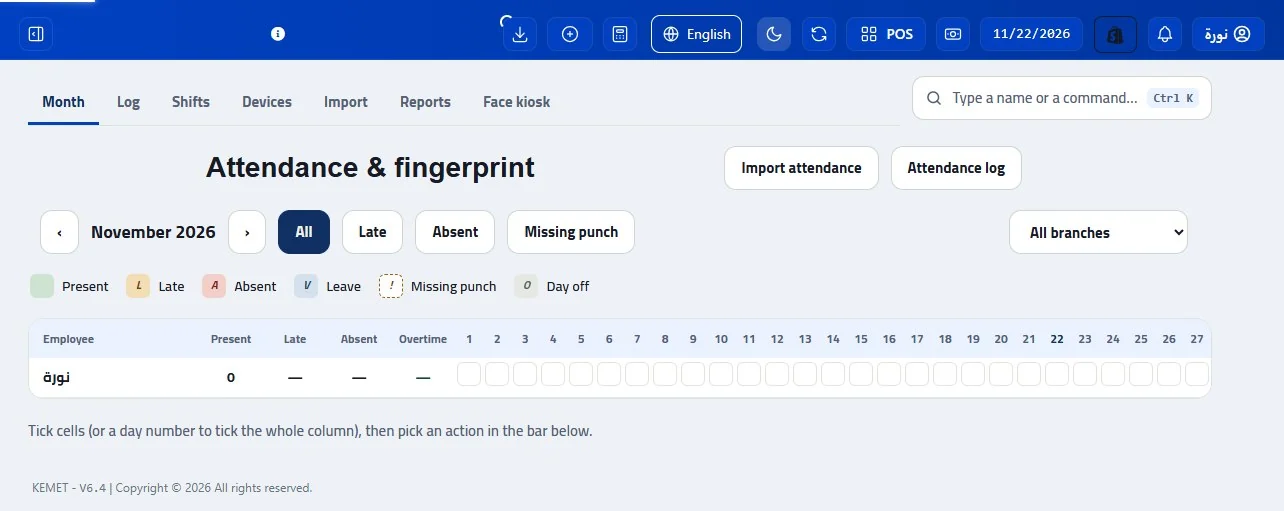
- Choose the month and branch.
- Find the employee and date on the grid.
- Compare the day with device logs and leave before correcting it.
- Verify the same employee and date after any authorized change.
Screen path in KEMET
/hrm/attendance-monthField reference
- Month
- Defines the days in the view.
- Daily status
- Distinguishes attendance, absence, and days that need review.
Worked example
Find one review day in a training month and note the date and totals.
Open the daily log and confirm the underlying entries before payroll review.
Verify the result
- Verify the same employee and date after any authorized change.
Troubleshooting
The row refers to a different employee or day.
Verify branch, employee identifier, and date before approving leave, correcting attendance, or recording a payment.
The screen or action is missing.
Ask the company administrator to check the add-on, menu visibility, role permissions, and branch scope.
Requires the applicable Essentials feature for the company and access for the signed-in user.