 KEMET
Payroll archive
Review prior pay runs and their status.
Steps
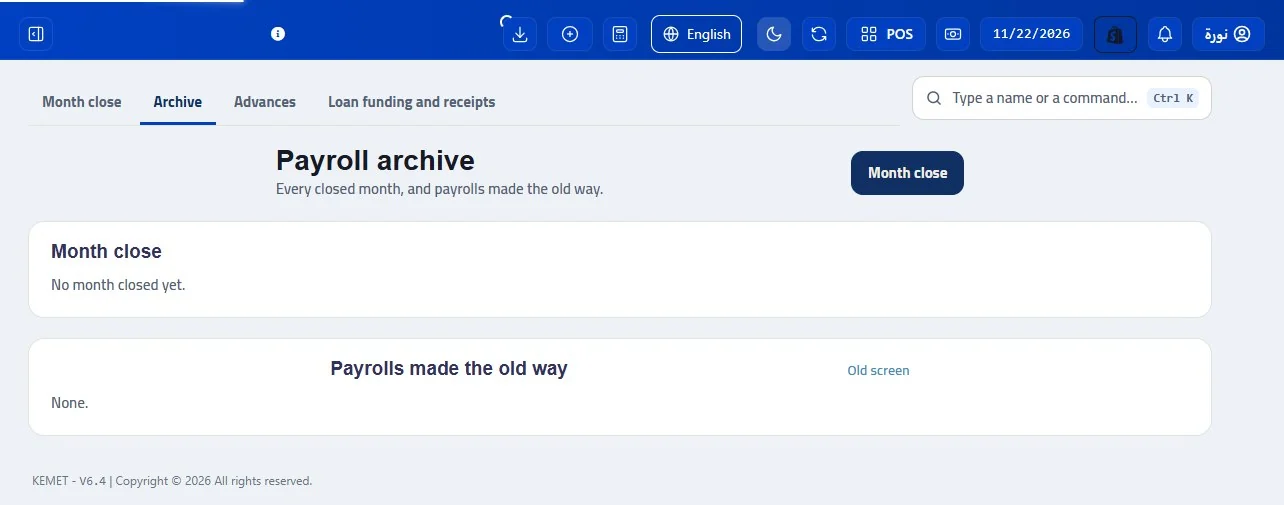
- Choose the requested month or period.
- Open the payroll record for the intended branch.
- Review status and totals within your authorized scope.
- Download the available file if required by company procedure.
Screen path in KEMET
/hrm/payroll-archiveField reference
- Month
- Use the approved payroll period for comparison.
- Archived batch
- Open its record to see the saved state and period result.
Worked example
Review a closed training batch and compare one employee with the same month's payroll report.
Confirm the reference, month, and status match before relying on totals.
Verify the result
- Download the available file if required by company procedure.
Troubleshooting
The row refers to a different employee or day.
Verify branch, employee identifier, and date before approving leave, correcting attendance, or recording a payment.
The screen or action is missing.
Ask the company administrator to check the add-on, menu visibility, role permissions, and branch scope.
Requires the applicable Essentials feature for the company and access for the signed-in user.