 KEMET
Requests
Review leave requests before approving or declining them.
Steps
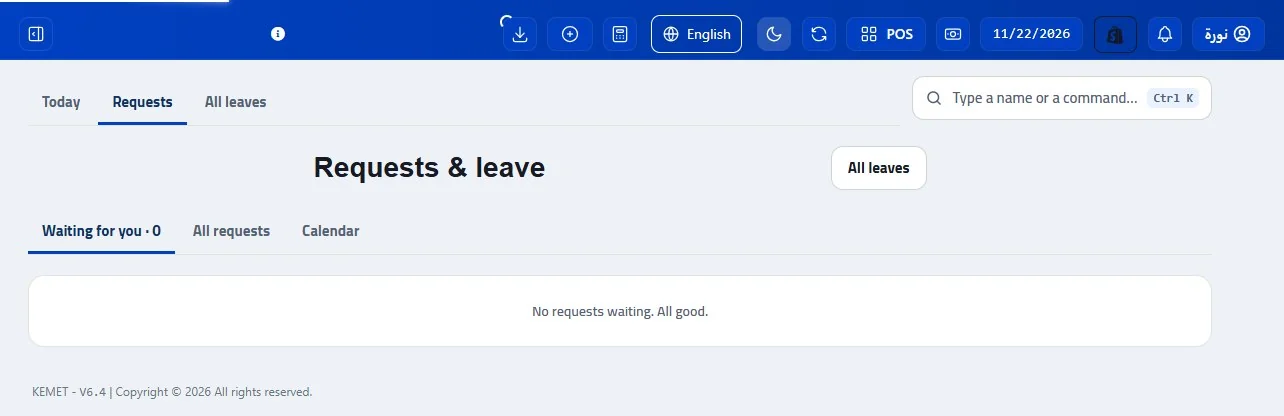
- Open a leave request from the inbox.
- Check employee, type, dates, and balance.
- Use the authorized decision and add a reason where required.
- Verify the result in the inbox and employee record.
Screen path in KEMET
/hrm/inboxField reference
- Request
- Identifies the workflow, requester, and dates.
- Status
- Distinguish a pending request from one with a recorded decision.
Worked example
Review a one-day training leave request against the schedule.
After the decision, compare the inbox status with the requester's view.
From ChatGPT or Claude
Help me with Requests. Ask which branch, reference, or dates you need, and show the relevant data before any changes.
Verify the result
- Verify the result in the inbox and employee record.
Troubleshooting
The row refers to a different employee or day.
Verify branch, employee identifier, and date before approving leave, correcting attendance, or recording a payment.
The screen or action is missing.
Ask the company administrator to check the add-on, menu visibility, role permissions, and branch scope.
Requires the applicable Essentials feature for the company and access for the signed-in user.