 KEMET
Orders hub
Track orders from preparation through delivery or collection.
Steps
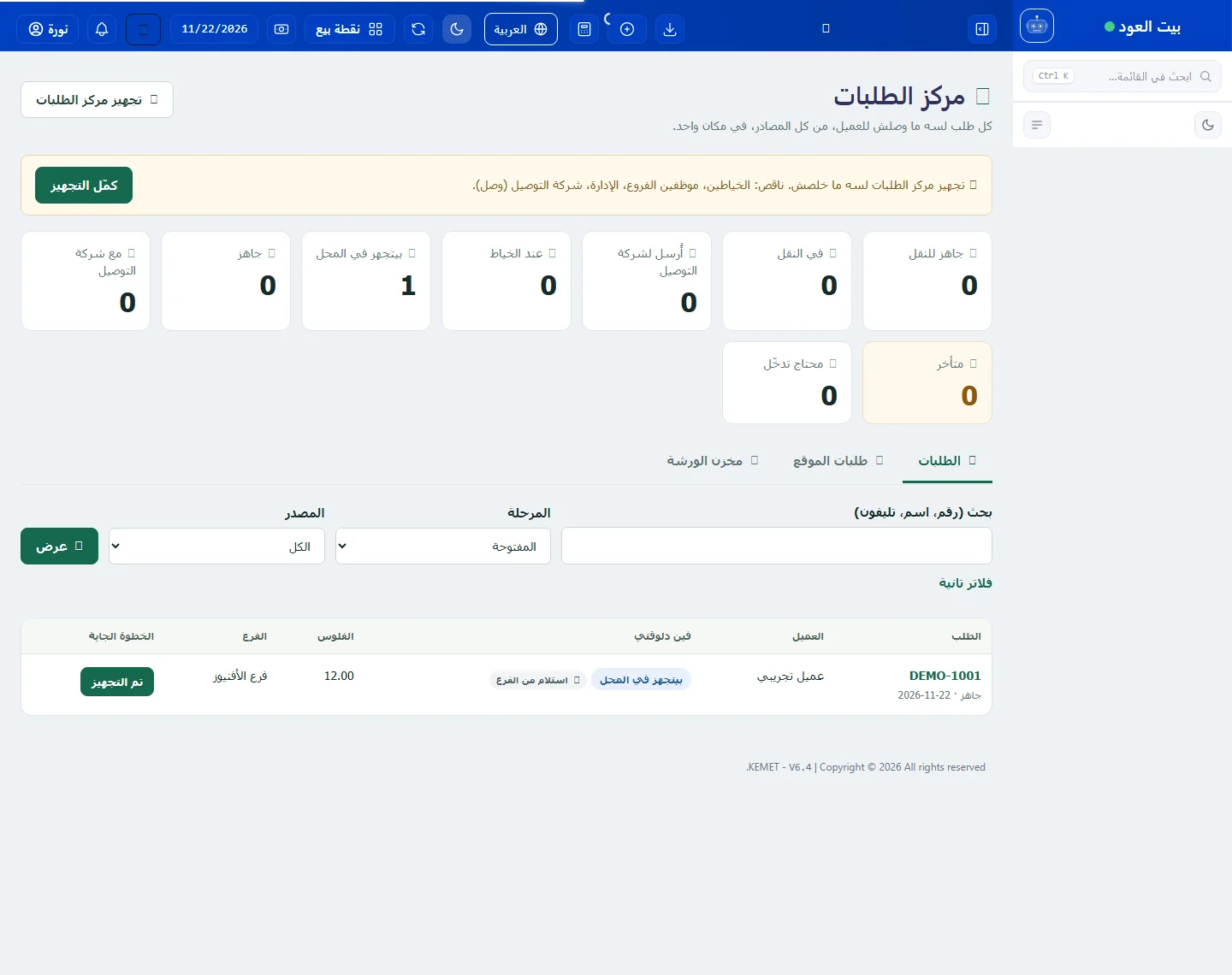
- Set the branch and stage filters.
- Open the order to check the customer, items, and delivery details.
- Choose the action that matches the completed stage.
- Verify the updated stage before creating another shipment or handover.
Screen path in KEMET
/order-hubField reference
- Order number and channel
- Use the reference and source to distinguish orders from different channels.
- Preparation and shipment
- Check the order workflow and the associated shipment or tracking details where available.
- History
- Shows recorded stages and actions to help identify the next step.
Worked example
Open OH-104, confirm that preparation has finished and use the shipment details to tell the operator which step is currently due.
The order record, shipment and history refer to the same request and show whether dispatch is due.
From ChatGPT or Claude
Find this order in Order Hub and show the branch and items before any changes.
Related connector tools
- Delivery summary
delivery_delivery_summary - Delivery areas
delivery_zone_performance - Delivery income
delivery_delivery_revenue - Data: orders hub
data_hub_orders - Data: courier shipments
data_courier_shipments - Receive an order at the pickup branch
receive_order_at_branch - Mark the tailor's work done
mark_tailor_done - Send an order to the tailor again
resend_to_tailor - Send or receive an order's stock
order_stock_transfer - Send an order with the delivery company
send_order_to_courier - Record courier cash received
settle_courier_cash
Verify the result
- Compare the order and tracking references before sending a customer update.
- Review the history after a permitted change and check the displayed stage.
Troubleshooting
The preparation or delivery action is unavailable.
Check order stage, branch, and role. Review the last recorded action before retrying.
The screen or action is missing.
Ask the company administrator to check the add-on, menu visibility, role permissions, and branch scope.
Screen access depends on company settings, the role, and its allowed branches.