 KEMET
List Stock Adjustments
Review stock adjustments by branch and reason before recording another discrepancy.
Steps
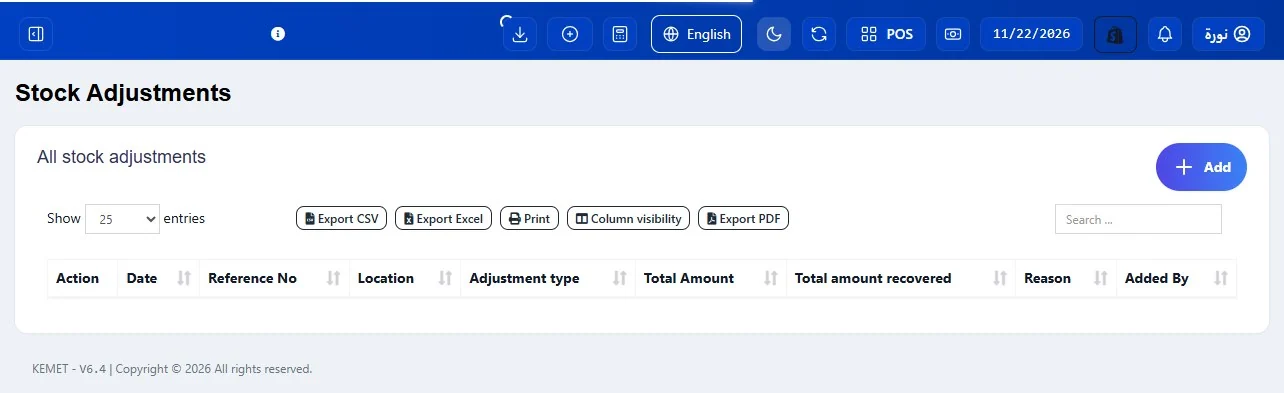
- Select period and branch.
- Open the adjustment by reference.
- Match variations, quantities, and reason to the count or damage record.
- Check movement history for the same option and period.
Screen path in KEMET
/stock-adjustmentsField reference
- Branch and period
- Select where and when the adjustment was recorded.
- Reference and type
- Open the exact movement that corresponds to your supporting document.
- Adjusted items
- Review the product, exact variation and quantity on each line.
Worked example
Find ADJ-016 for two damaged scarves and confirm that both units came out of the intended branch and variation.
The adjustment details and branch stock movement match the approved damage record.
Verify the result
- Open the adjustment and check the date, reference and affected lines.
- Verify the resulting change in the product’s stock history at that branch.
Troubleshooting
The difference is for a different branch or option.
Match the branch, variation, and count date to stock history before making an adjustment.
The screen or action is missing.
Ask the company administrator to check the add-on, menu visibility, role permissions, and branch scope.
Screen access depends on company settings, the role, and its allowed branches.