 KEMET
Add Stock Adjustment
Record a discrepancy or damage against the correct variation and branch.
Steps
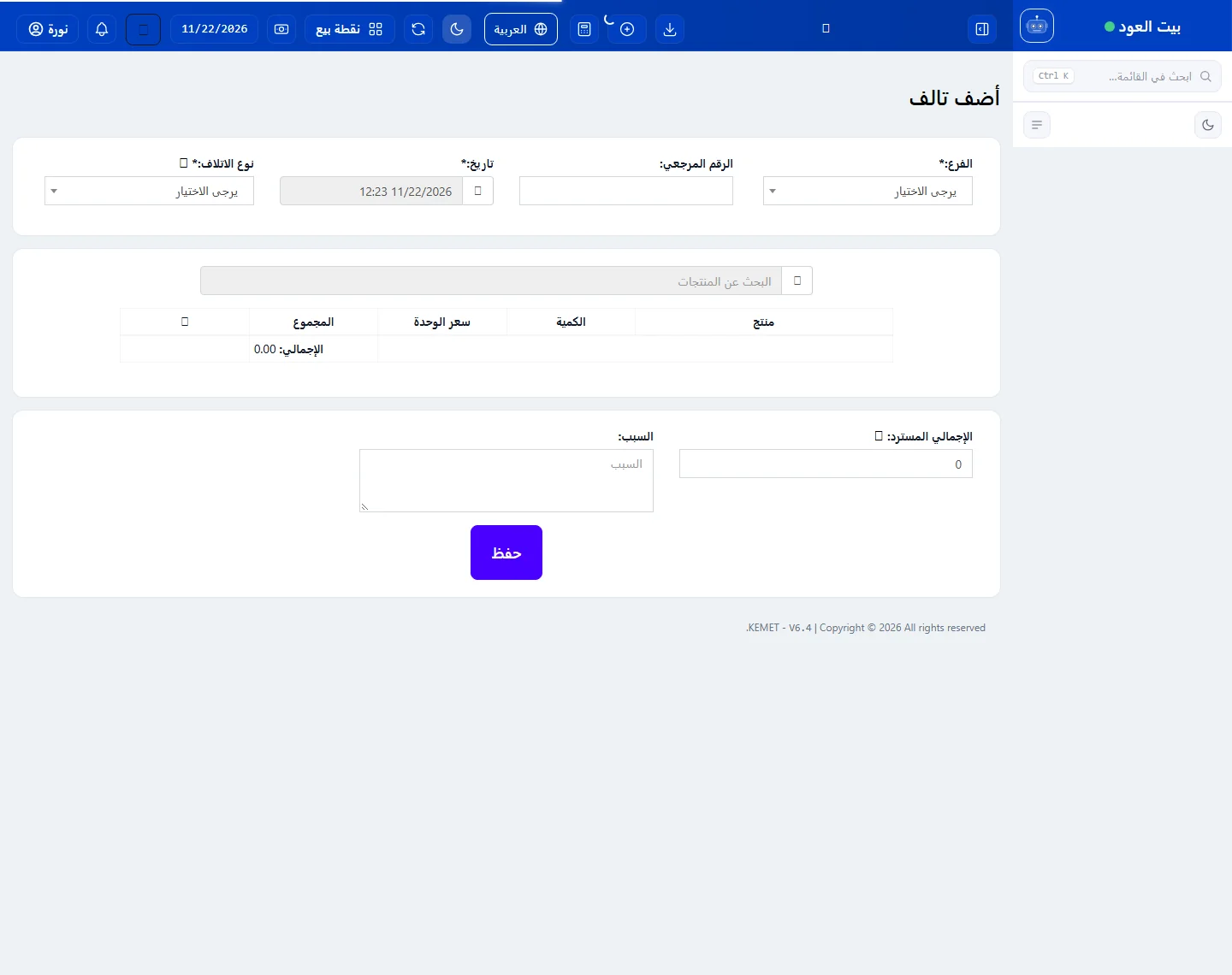
- Choose the branch and date.
- Select the applicable adjustment type and reason.
- Enter the exact product option and quantity after a physical check.
- Review the lines and totals before saving.
- Verify the item movement in stock reports.
Screen path in KEMET
/stock-adjustments/createField reference
- Location and adjustment type
- Select where the stock is reduced and the classification approved for the correction.
- Product and quantity
- Use the variation code to identify the stock and enter the units to remove.
- Recovered amount and notes
- Enter any actual recovered value and keep the reason or supporting reference in the notes.
Worked example
Downtown has 20 scarves and two were damaged. Record a decrease of two at Downtown and enter the signed damage report reference.
The branch stock changes from 20 to 18 and the adjustment is traceable to the damage report.
From ChatGPT or Claude
Help me with Add Stock Adjustment. Ask which branch, reference, or dates you need, and show the relevant data before any changes.
Verify the result
- Review the SKU and branch before saving.
- Open the created adjustment and confirm the new quantity in stock history.
Troubleshooting
The difference is for a different branch or option.
Match the branch, variation, and count date to stock history before making an adjustment.
The screen or action is missing.
Ask the company administrator to check the add-on, menu visibility, role permissions, and branch scope.
Screen access depends on company settings, the role, and its allowed branches.