 KEMET
Create an inventory date
Start a stocktake for a defined branch and date range.
Steps
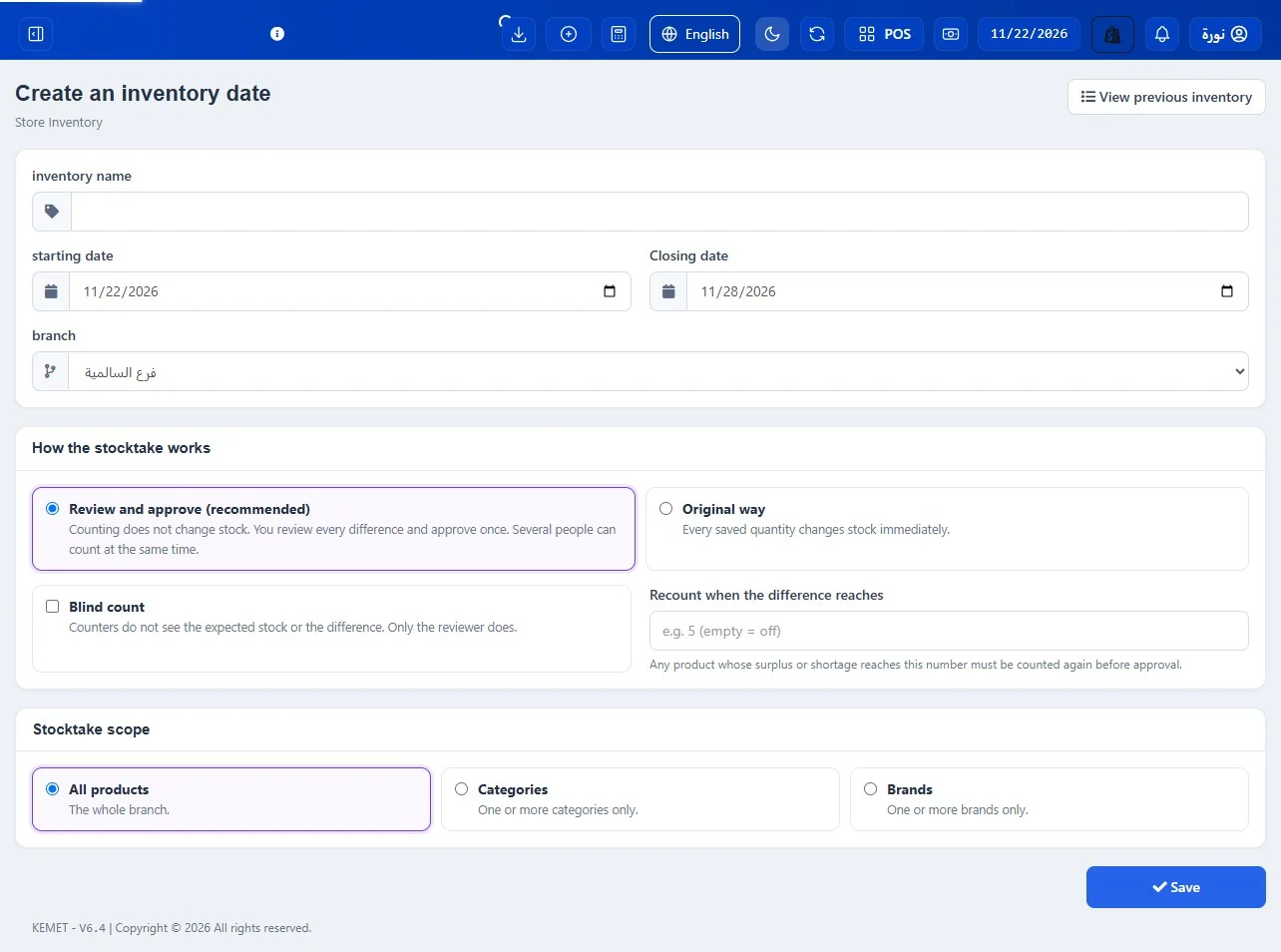
- Enter a clear name for the stocktake.
- Set start and end dates.
- Select the counting branch and review the available mode.
- Save, then find the session and verify the branch and dates.
Screen path in KEMET
/invetorymangamentField reference
- Name and dates
- Identify the stocktake and its planned counting window.
- Branch and scope
- Choose all products or limit the count to selected categories or brands in the selected branch.
- Count mode
- Review mode lets a reviewer examine counts before applying them. In review mode, blind counting and a recount threshold can be configured.
Worked example
Create a review-mode stocktake called November scarves for Downtown, scoped to the Scarves category, with blind counting enabled.
The session applies to Downtown scarves and counters work without seeing expected quantities.
From ChatGPT or Claude
Help me with Create an inventory date. Ask which branch, reference, or dates you need, and show the relevant data before any changes.
Verify the result
- Open the session and verify the branch and included products before counting.
- Review the discrepancies and the session state before applying any result.
Troubleshooting
The difference is for a different branch or option.
Match the branch, variation, and count date to stock history before making an adjustment.
The screen or action is missing.
Ask the company administrator to check the add-on, menu visibility, role permissions, and branch scope.
Requires the applicable InvetoryMangament feature for the company and access for the signed-in user.