 KEMET
Customer Groups
Group customers for business pricing and reporting rules.
Steps
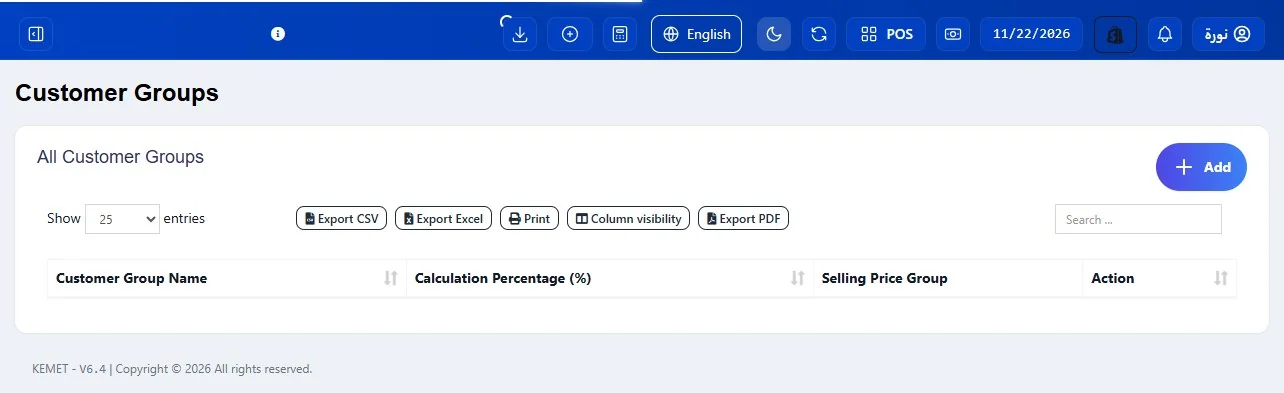
- Check existing groups first.
- Give a new group a distinct name.
- Review any pricing or percentage settings on the form.
- Assign the intended customers and verify the group in its report.
Screen path in KEMET
/customer-groupField reference
- Group name
- Name used when the operator assigns a group to a customer.
- Price calculation type
- Select Percentage or Selling Price Group based on the approved rule.
- Percentage or price group
- Complete the setting for the calculation method you selected.
Worked example
Create a Wholesale customer group backed by an approved wholesale selling price group, then assign it to one test customer.
The test sale uses the expected wholesale price for a known product.
Verify the result
- Inspect the customer’s record to confirm the assignment.
- Compare the product’s test price with the approved price list before applying the group broadly.
Troubleshooting
The result does not match the intended record.
Check the original reference, name, and filters before repeating the operation.
The screen or action is missing.
Ask the company administrator to check the add-on, menu visibility, role permissions, and branch scope.
Screen access depends on company settings, the role, and its allowed branches.