 KEMET
Suppliers
Find a supplier and check the balance and documents before recording a purchase or payment.
Steps
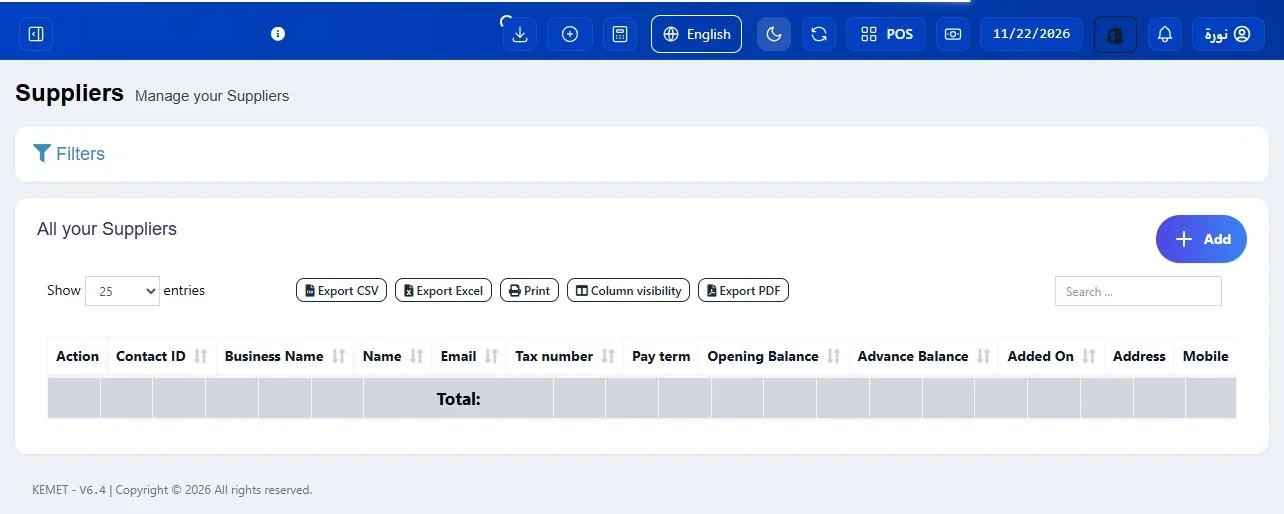
- Search by supplier name or phone.
- Open their details and confirm the identity.
- Open the statement and choose a period to check where the balance came from.
- Select the same supplier when making a purchase.
Screen path in KEMET
/contacts?type=supplierField reference
- Supplier business name
- Match it to the invoice so the correct supplier can be selected on purchases.
- Pay term and period
- Record the agreed duration and unit, such as 30 days.
- Contact ID and mobile
- Use identifiers to find the same supplier when entering an invoice.
Worked example
Create Sample Fabric with a 30-day term and find it in the supplier selector on a test purchase.
The purchase displays the intended supplier and its terms can be checked before saving.
From ChatGPT or Claude
Look up the contact by name and phone. Show matching records so I can select the correct contact.
Verify the result
- Open the record and compare the approved terms and contact reference.
- Check that an earlier purchase, if present, uses the same supplier record.
Troubleshooting
The result does not match the intended record.
Check the original reference, name, and filters before repeating the operation.
The screen or action is missing.
Ask the company administrator to check the add-on, menu visibility, role permissions, and branch scope.
Screen access depends on company settings, the role, and its allowed branches.