 KEMET
Import Contacts
Import customers or suppliers with the Contacts template.
Steps
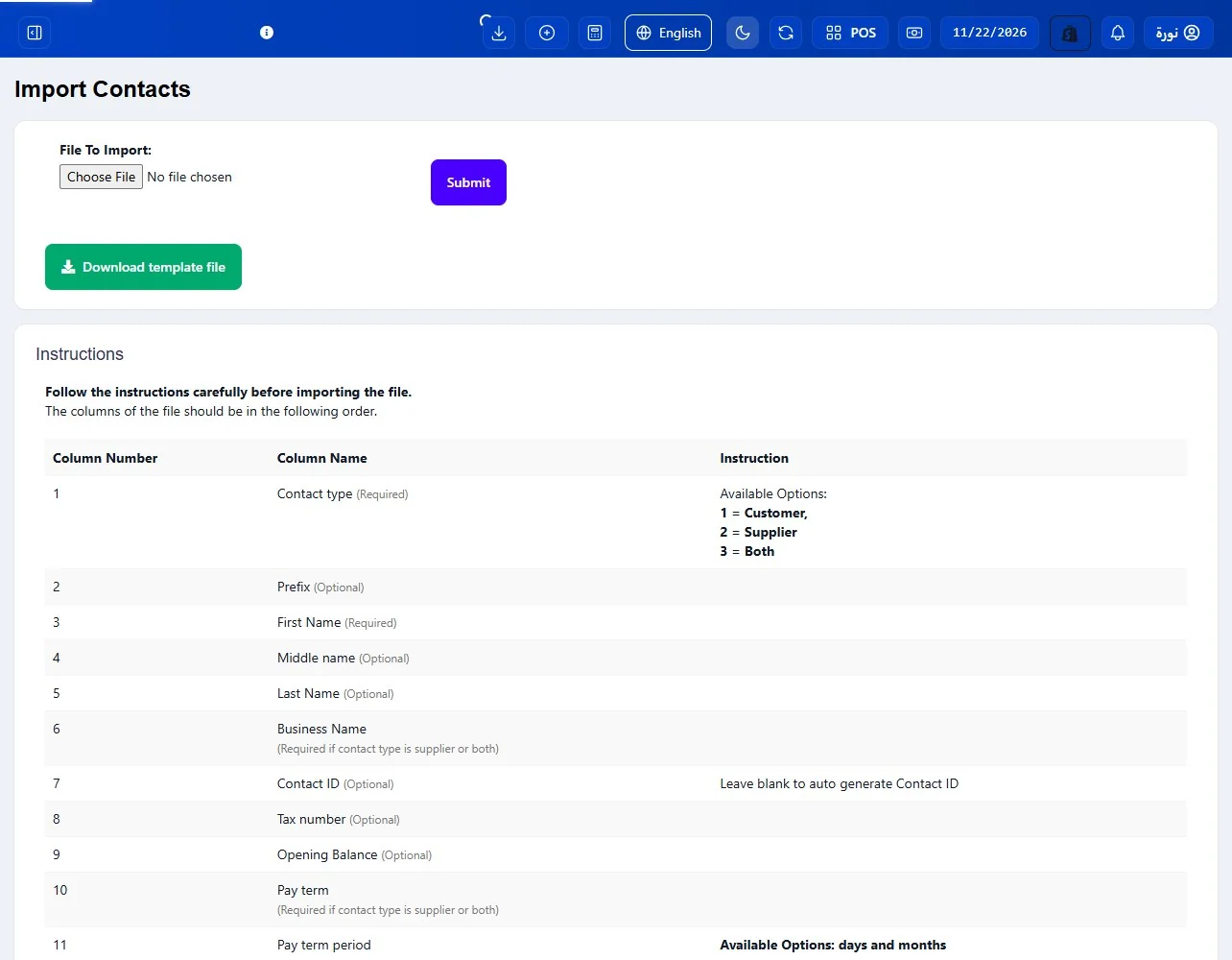
- Download the template from the screen.
- Fill each contact type, name, and relevant contact details in the required columns.
- Review duplicate names and phone numbers.
- Upload the file and read its result.
- Find an imported record of each type to verify classification.
Screen path in KEMET
/contacts/importField reference
- Contact type
- Distinguishes customers and suppliers according to the codes shown on the template.
- Contact ID
- Keep an existing external reference unique if you provide it. Enter codes as text to retain leading zeros.
- Supplier business name and pay term
- For a supplier, complete the company name and pay term with its unit as indicated in the import instructions.
Worked example
Import a single sample supplier, Sample Fabric, with a valid test mobile and a 30-day payment term.
The new record appears in Suppliers with the expected mobile and payment term.
Verify the result
- Search by its reference or mobile after import to verify the new record.
- Correct reported rows in the template and verify which rows already exist before uploading again.
Troubleshooting
The result does not match the intended record.
Check the original reference, name, and filters before repeating the operation.
The screen or action is missing.
Ask the company administrator to check the add-on, menu visibility, role permissions, and branch scope.
Screen access depends on company settings, the role, and its allowed branches.