 KEMET
Add Expense
Record an expense with the right category, branch, amount, and actual payment.
Steps
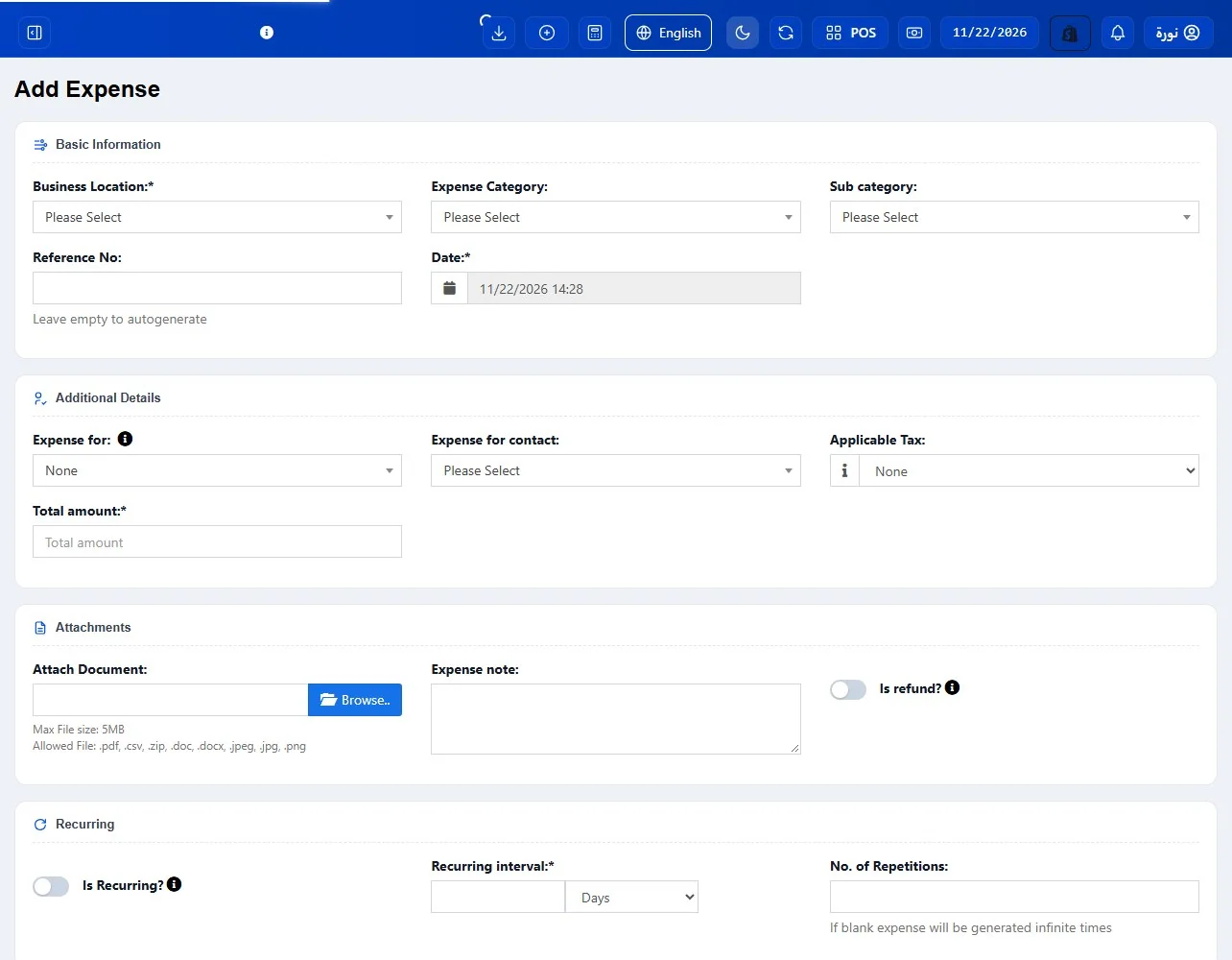
- Choose the location and appropriate category.
- Enter the date and amount from the receipt.
- Attach the evidence if available or required.
- Check the method and actual amount paid.
- Save and verify the reference in Expenses.
Screen path in KEMET
/expenses/createField reference
- Location and date
- Identify the outlet bearing the expense and the day to record it.
- Reference and expense category
- Use the source receipt number and select the approved type of expense.
- Total and payment
- Record the full expense and the amount actually paid with the correct method when required.
Worked example
Record a local delivery receipt of 45 at Downtown. If 45 was paid in cash, enter the cash payment and source reference.
The list contains one expense of 45 for Downtown, with the expected category and payment details.
From ChatGPT or Claude
Help me with Add Expense. Ask which branch, reference, or dates you need, and show the relevant data before any changes.
Verify the result
- Find the expense by reference after saving and verify the amount and status.
- If a payment was recorded, open its details and verify the payment method and amount.
Troubleshooting
The result does not match the intended record.
Check the original reference, name, and filters before repeating the operation.
The screen or action is missing.
Ask the company administrator to check the add-on, menu visibility, role permissions, and branch scope.
Screen access depends on company settings, the role, and its allowed branches.
Training in the KEMET Academy after signing in /academy/native/expenses