 KEMET
Expense Categories
Maintain the expense categories staff use when recording costs.
Steps
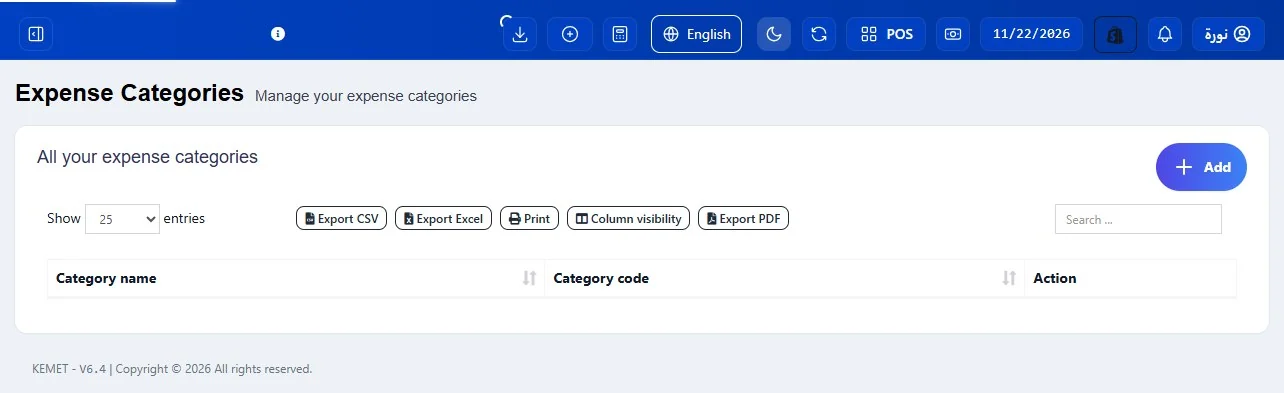
- Review categories used in expense reports.
- Give the new category a distinct name.
- Choose its parent if creating a subcategory.
- Check it appears in the expense form when permitted.
Screen path in KEMET
/expense-categoriesField reference
- Category name
- Name selected by the operator when entering an expense.
- Parent category
- Use the parent to organize related expense types in the hierarchy.
Worked example
Add Local courier under Shipping so operators can identify local dispatch expenses consistently.
The category is available when categorizing a new local courier expense.
Related connector tools
- Add an expense category
expense_add_expense_category
Verify the result
- Open the category list and check the name and parent.
- Open a test expense form and check the intended category is available.
Troubleshooting
The result does not match the intended record.
Check the original reference, name, and filters before repeating the operation.
The screen or action is missing.
Ask the company administrator to check the add-on, menu visibility, role permissions, and branch scope.
Screen access depends on company settings, the role, and its allowed branches.