
Skip to content
KEMETRetail
Features Point of sale Products, sizes and barcodes Stock and counts Branches, warehouses and pop-ups Purchases and suppliers Customers, loyalty and credit Online store and your domain Shopify integration WhatsApp invoices and messages Orders and delivery Pre-orders and tailoring Reports and analytics Accounts and expenses Staff, permissions and training Claude & ChatGPT All features
By business Groceries and food Fashion, perfume and beauty Electronics and devices Home, building and hardware Health, care and baby Gifts, books and hobbies Outdoor, garden and pets Cars and other stores All businesses
Pricing Guide Articles Contact About
Get started
العربية English हिन्दी اردو বাংলা Filipino

Reports and analytics

Sales, profit and stock reports

Open the owner dashboard and know your day in seconds: how much you sold, what you earned, which branch leads, and which item is about to run out.
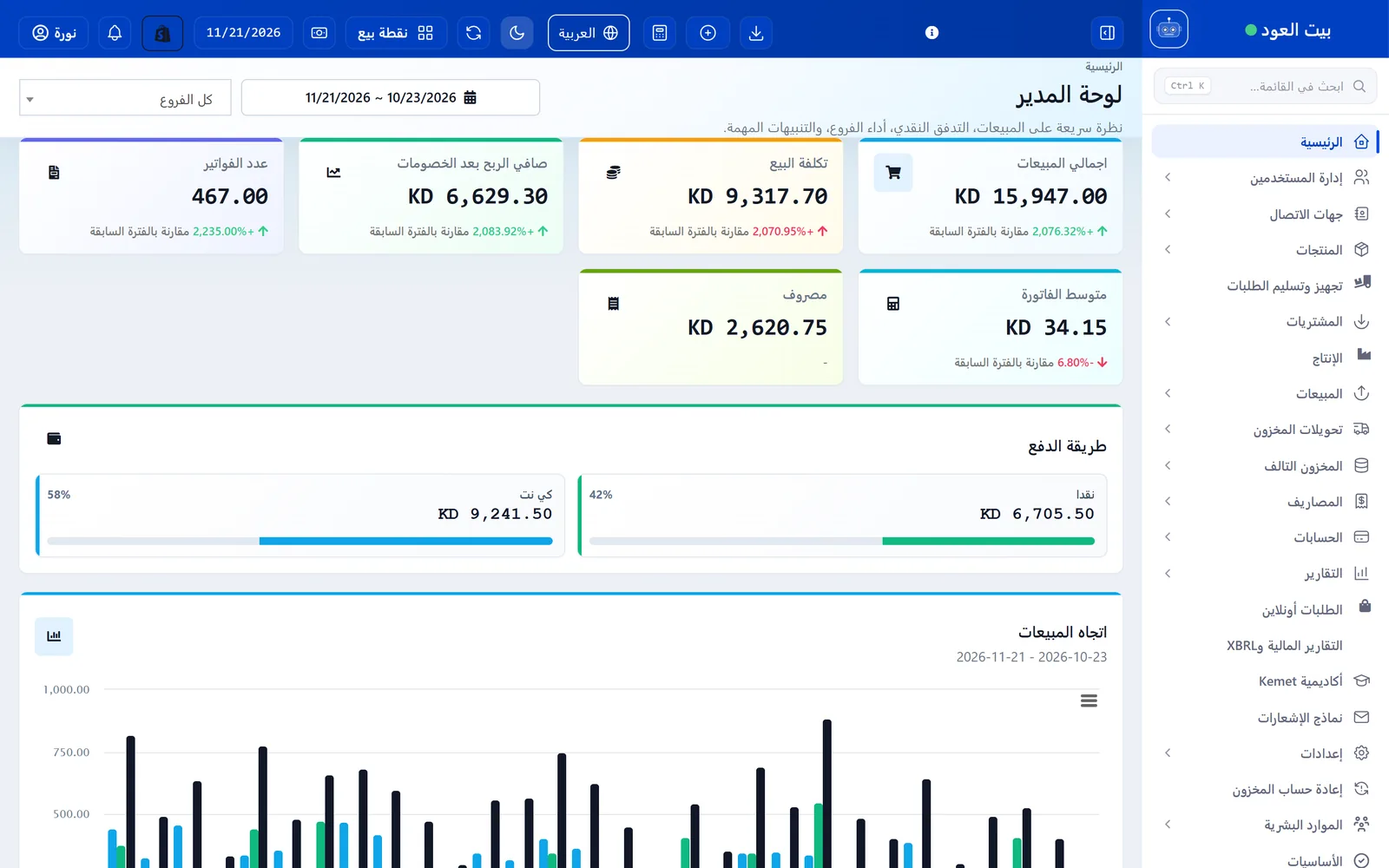
The owner dashboard for the last 30 days: sales, profit, payment methods and the sales trend.

Reports and analytics

Owner dashboard, profit, stock turnover and branch comparison.

Owner dashboardToday's sales, profit, payment methods and important alerts.
Real profitProfit on the real cost of each item, invoice and branch.
Best and worst sellersSo you know what to order and what to display.
Stock turnoverFast, slow and dead stock and its value.
Branches and staff comparedWho sells more, and where returns go up.
Excel export and printEvery report exports or prints for your accountant.

Real screens from the system with a demo shop's data
Inside the system

The owner dashboard for the last 30 days: sales, profit, payment methods and the sales trend.
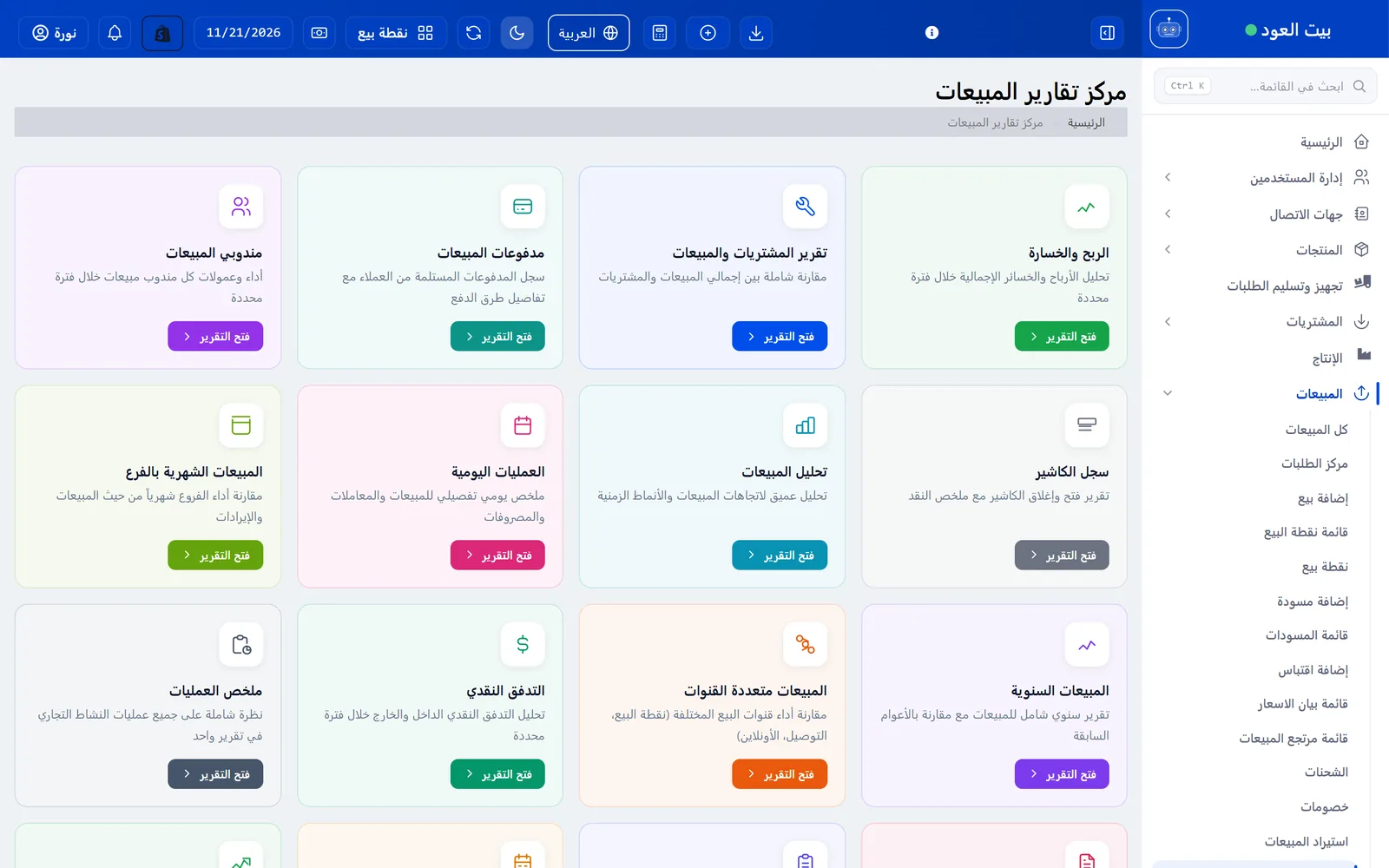
The report centre: profit and loss, and sales by branch, channel and cashier.

Reports and analytics

How it works

  1. Choose the period and the branch.
  2. Read the summary and open the details when needed.
  3. Export for the accountant or print.

Common questions

Common questions

Can I see reports on my phone?

Yes. KEMET opens in the phone browser and the reports fit small screens.

Can I ask for a number without digging through reports?

With the Claude and ChatGPT add-on, just ask: "How much did we sell today in Salmiya?"

Ready to see KEMET in your shop?

Message us on WhatsApp or start signing up, and we will set up your account and move your items with you.

WhatsApp