सीधे सामग्री पर जाएँ
KEMETरिटेल
Features Point of sale Products, sizes and barcodes Stock and counts Branches, warehouses and pop-ups Purchases and suppliers Customers, loyalty and credit Online store and your domain Shopify integration WhatsApp invoices and messages Orders and delivery Pre-orders and tailoring Reports and analytics Accounts and expenses Staff, permissions and training Claude & ChatGPT All features
By business Groceries and food Fashion, perfume and beauty Electronics and devices Home, building and hardware Health, care and baby Gifts, books and hobbies Outdoor, garden and pets Cars and other stores All businesses
Pricing Guide Articles Contact About
Get started
العربية English हिन्दी اردو বাংলা Filipino

Point of sale

A fast point of sale for stores in Kuwait

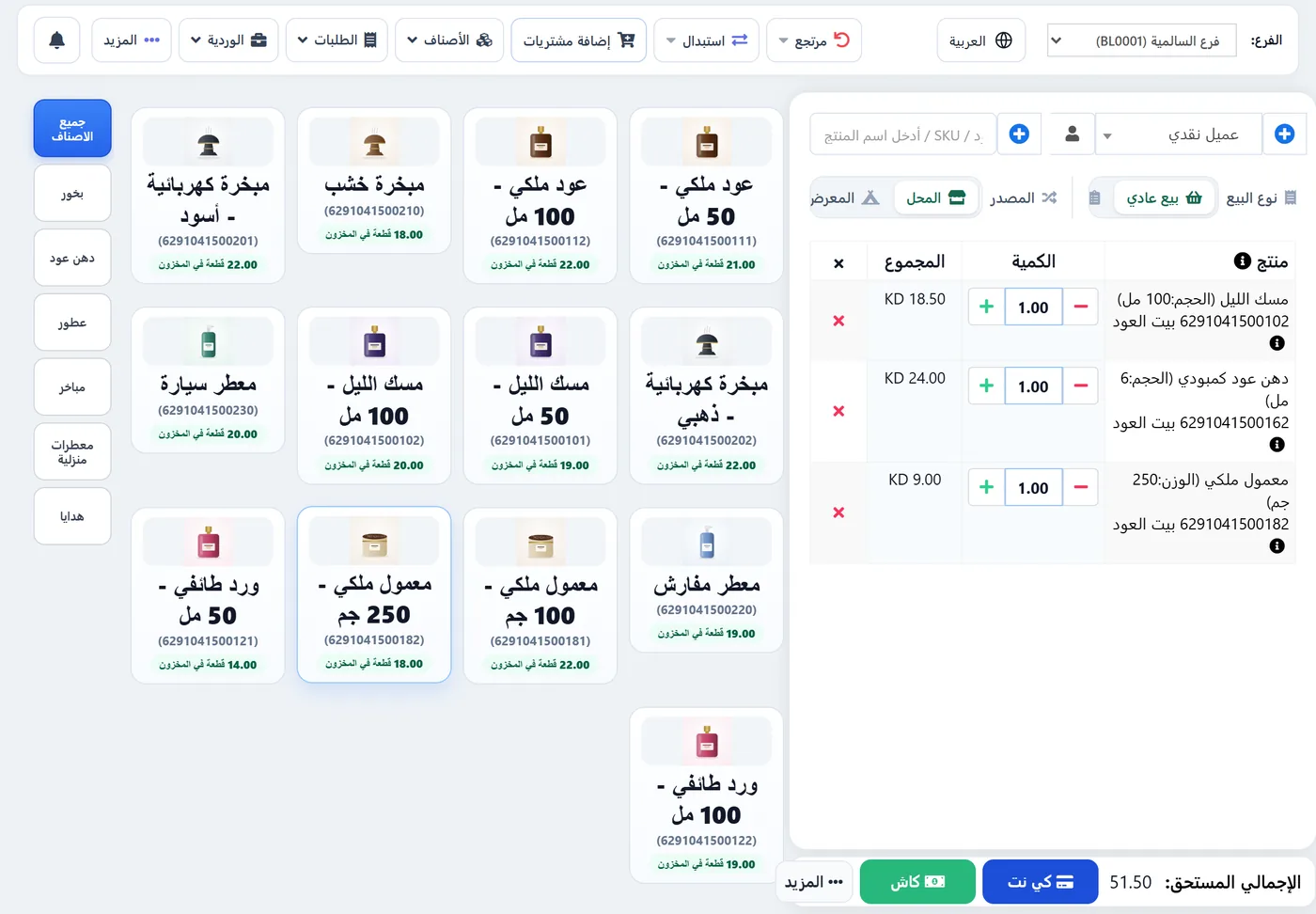
A clear sales screen a cashier learns in minutes: scan the barcode, pick the size, take cash or KNET, and the stock goes down at the same moment.

This page is in English because a translation for your language is not available yet.
The sales screen: items with pictures and stock, the cart, and cash or KNET payment.

Point of sale

Fast barcode checkout, discounts, returns and split payments.

Sell by barcode or nameScan with a barcode reader or the device camera, or search by item name or code.
Sizes and coloursEvery size and colour has its own price, barcode and stock, and the cashier picks the right one on screen.
Discounts with permissionsDiscount an item or the whole invoice, and decide which staff can discount and by how much.
Several payment methodsCash, KNET and cards, or split one invoice across several methods.
Exchanges and returnsSwap one item for another or return it; stock and accounts adjust on their own.
Keeps selling offlineThe cashier keeps selling and the invoices sync as soon as the connection is back.
Shifts and the cash drawerOpen and close shifts, count the drawer and get a report per cashier.
Printed or WhatsApp receipt80 mm receipts from the browser, or send the invoice to the customer on WhatsApp.

Real screens from the system with a demo shop's data

Inside the system

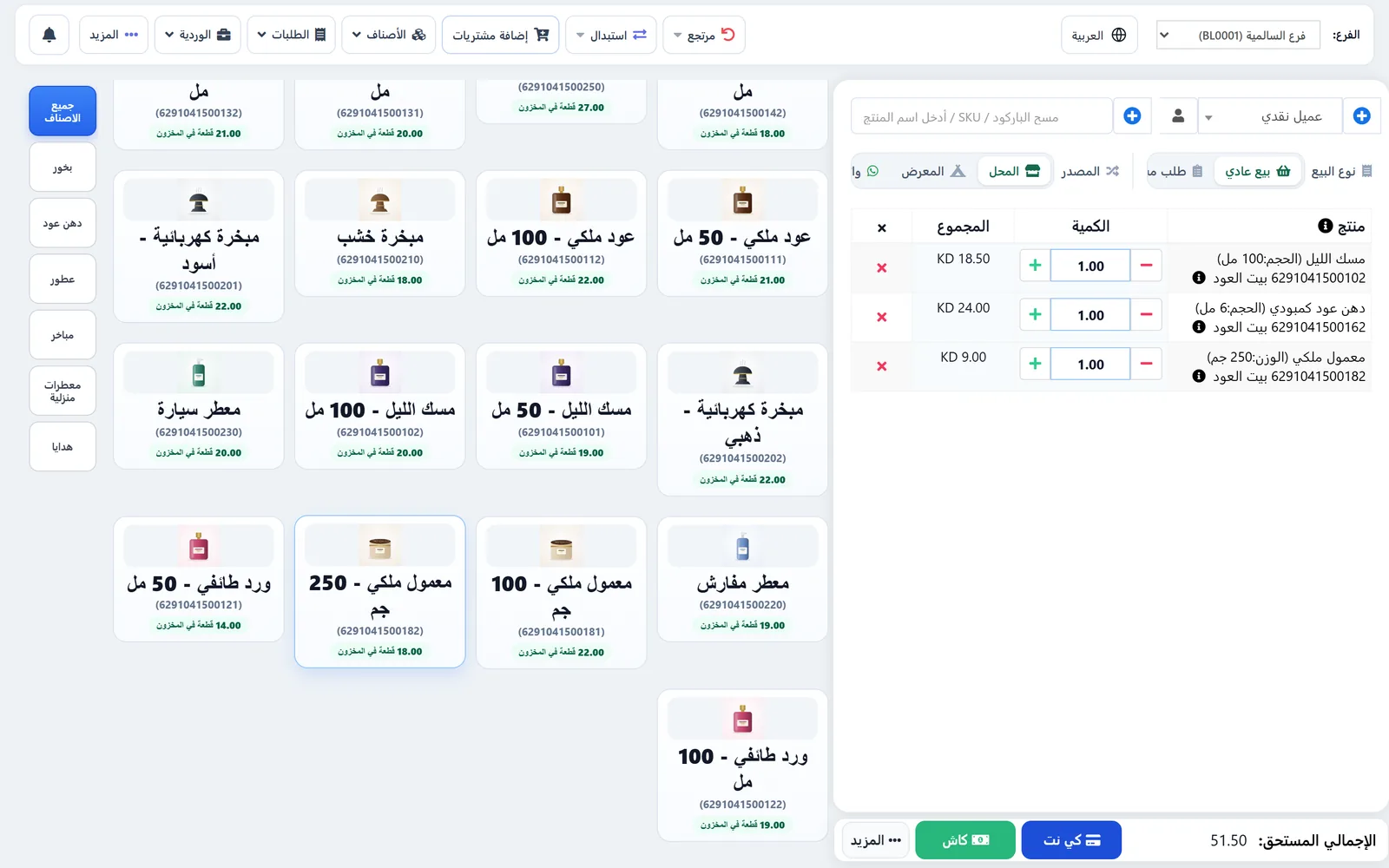
The sales screen: items with pictures and stock, the cart, and cash or KNET payment.
The same cashier on a tablet.

Point of sale

How it works

  1. Open the shift from the sales screen.
  2. Scan or pick the items; the size shows up by itself.
  3. Take the payment and print the receipt or send it on WhatsApp.
  4. Close the shift at the end of the day and read its report.

Common questions

Common questions

Do I need a special POS machine?

No. KEMET runs in the browser on any computer or tablet, with an ordinary barcode reader and receipt printer.

What happens if the internet goes down?

The cashier keeps selling on the same device and the invoices upload as soon as the internet is back.

Can I stop the cashier from giving discounts?

Yes. Discounts, price changes and returns are permissions you set per employee.

Ready to see KEMET in your shop?

Message us on WhatsApp or start signing up, and we will set up your account and move your items with you.

WhatsApp