سیدھے مواد پر جائیں
KEMETریٹیل
Features Point of sale Products, sizes and barcodes Stock and counts Branches, warehouses and pop-ups Purchases and suppliers Customers, loyalty and credit Online store and your domain Shopify integration WhatsApp invoices and messages Orders and delivery Pre-orders and tailoring Reports and analytics Accounts and expenses Staff, permissions and training Claude & ChatGPT All features
By business Groceries and food Fashion, perfume and beauty Electronics and devices Home, building and hardware Health, care and baby Gifts, books and hobbies Outdoor, garden and pets Cars and other stores All businesses
Pricing Guide Articles Contact About
Get started
العربية English हिन्दी اردو বাংলা Filipino

Branches, warehouses and pop-ups

All your branches and warehouses in one account

Each branch and warehouse has its own stock, cashier and staff, and you see all of them on one screen. A transfer leaves the warehouse and lands in the branch with one tap on "Received".

This page is in English because a translation for your language is not available yet.
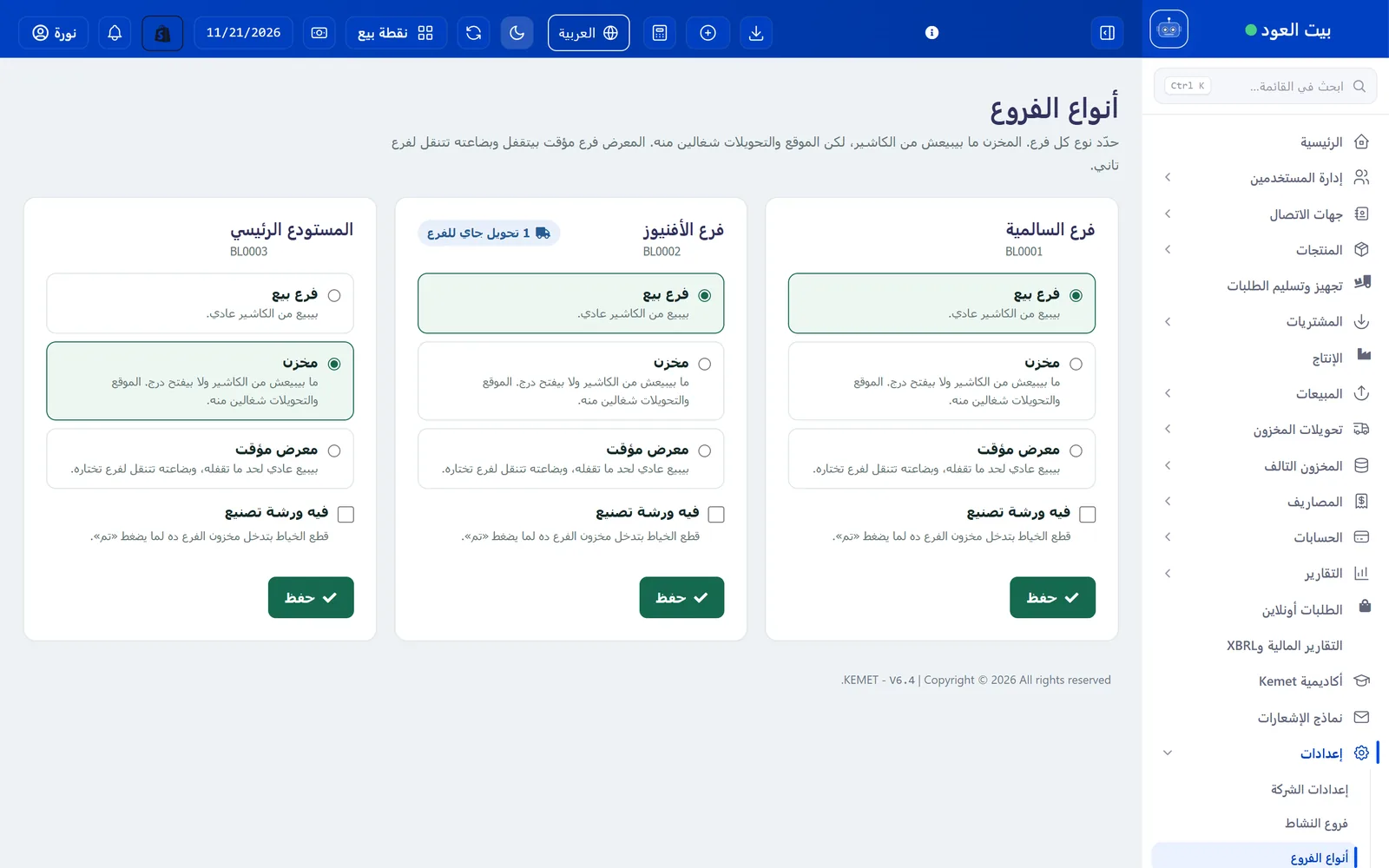
Branch types: selling branch, warehouse and temporary exhibition.

Branches, warehouses and pop-ups

Stock per branch, transfers, warehouses and temporary exhibitions.

Branch typesA selling branch, a warehouse that does not sell, or a temporary exhibition with an end date.
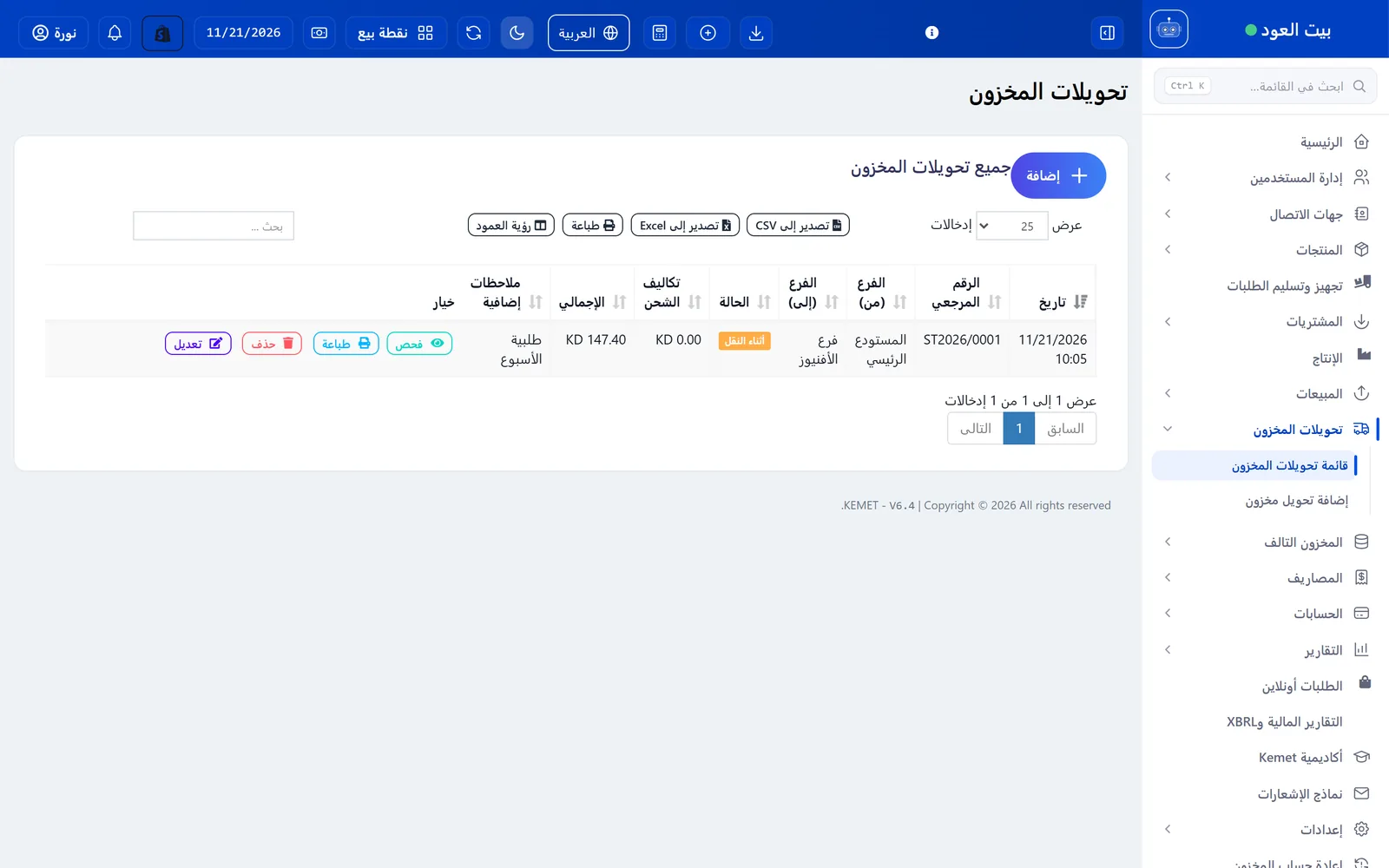
Transfers between branchesGoods leave the sender and show "in transit" until the branch taps "Received".
Permissions per branchCashiers and branch managers see only their branch; the owner sees everything.
Temporary exhibitionsOpen a pop-up for a few days; when it closes, what is left goes back to the warehouse.
Compare branchesSales, profit and stock of each branch side by side.
Pick up from another branchA customer orders at one branch and picks up at another; the transfer happens by itself.

Real screens from the system with a demo shop's data

Inside the system

Branch types: selling branch, warehouse and temporary exhibition.
A transfer from the warehouse to the Avenues branch, in transit until received.

Branches, warehouses and pop-ups

How it works

  1. Add the branch or warehouse and choose its type.
  2. Send goods out with a transfer from the warehouse.
  3. The branch taps "Received" when they arrive.
  4. Compare branches in the reports.

Common questions

Common questions

Does each branch need its own subscription?

No. All branches are in one account; the package sets how many.

How do I know a transfer arrived?

It stays "in transit" until the receiving branch taps "Received"; then it enters that branch's stock.

Does it suit exhibitions and pop-up bazaars?

Yes. Open the exhibition as a temporary branch; when it closes, KEMET counts what is left and sends it back.

Ready to see KEMET in your shop?

Message us on WhatsApp or start signing up, and we will set up your account and move your items with you.

WhatsApp